Lyrics Prompter VST vs Lyrics App: Which Teleprompter Should Singers Use?
Search for a lyrics teleprompter and you'll find two kinds of tools: standalone lyrics apps and prompter VST plugins that live inside your DAW. Both put words on a screen. The difference is what controls the scrolling.
Lyrics apps: simple, portable, not synced
A lyrics app is great for writing, practising, or busking with a tablet. It usually scrolls at a speed you set, or you swipe manually. It doesn't know where your song is.
Prompter VST: synced to the session
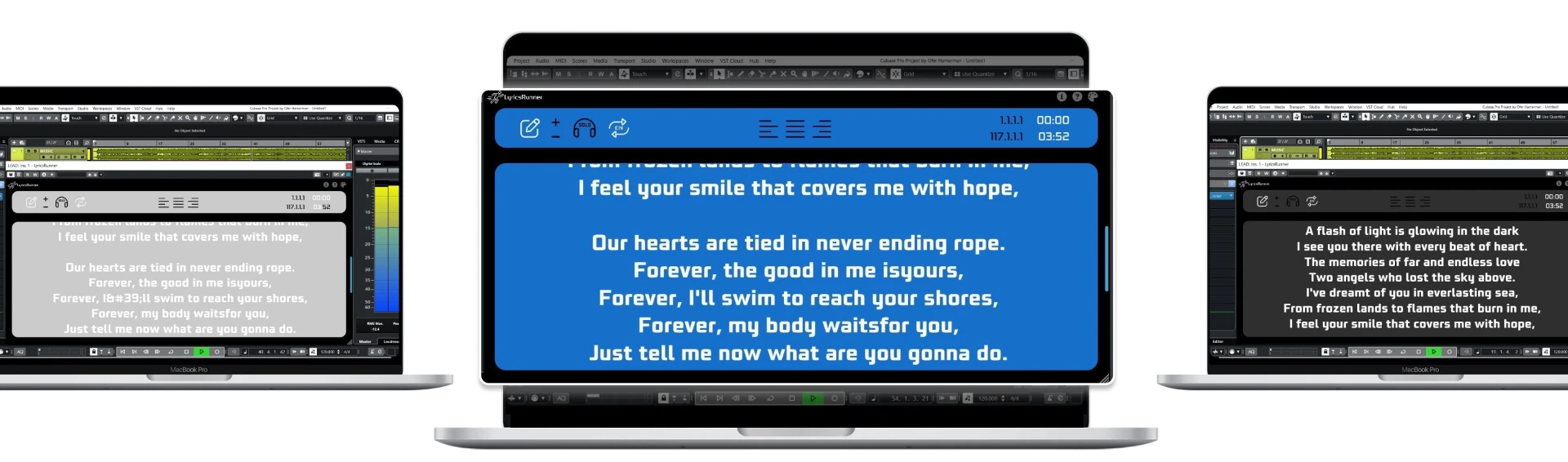
A prompter VST like LyricsRunnerVST loads on a track in Cubase, Logic Pro, Ableton Live, Pro Tools, FL Studio, Studio One, Reaper and other VST3 hosts. The text follows the timeline, so it stays aligned through punch-ins, loops and tempo changes.
Quick comparison
- Sync with DAW: app — no; VST — yes, follows the playhead.
- Saved with the project: app — separate file; VST — saved in the session.
- Live performance with backing tracks in Ableton: app — manual; VST — moves with the set.
- Writing on the go: app — better; VST — needs your computer.
Which should you pick?
If you record or perform with a DAW running, a lyrics prompter plugin removes the manual part entirely. If you just want lyrics on a phone for practice, an app is enough. Many singers use both.
Try it yourself
Ready to transform your sessions?
Drop your email — we'll send the 14-day trial download link to your inbox. No credit card.
- 30-day money-back guarantee
- Instant download
- Works in every major DAW