Teleprompter Plugin for Cubase: Prepare a Singer-Ready Session
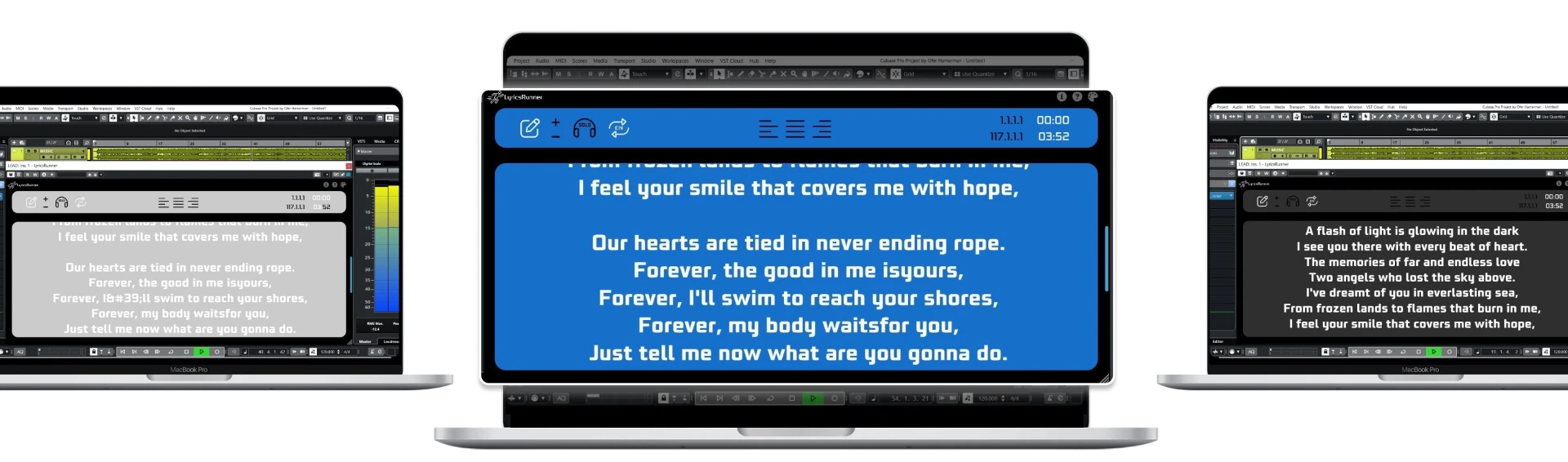
A teleprompter plugin for Cubase should make a session understandable when the singer arrives or the project is reopened. Prepare the approved lyrics against the current song timeline, test the count-in and verify the saved project. LyricsRunnerVST provides a lyric display inside a compatible host, not transcription, vocal processing or a substitute for checking the actual session.
Build the handoff around one approved project
Choose the project version that will be used for recording and identify the matching lyric draft. Include the real introduction, repeated sections and any final-chorus changes. Save the source text separately so corrections can be tracked outside the plugin. Make the project name and lyric revision clear enough that another engineer can choose the right copy without guessing.
Write section labels in terms the performer uses: verse, pre-chorus, chorus and bridge are generally clearer than private production abbreviations. Remove discarded lines and write repeated words out in full. A prompt should not require the singer to interpret an old edit history while preparing a take. Keep engineer-only reminders somewhere that cannot be mistaken for lyrics.
Load the plugin and verify the window
Install the current supported package for the computer and let Cubase scan it. The site's compatibility notes point Cubase users to Studio and the VST Plug-in Manager for rescanning. Check the host's own documentation when menu names or installation behavior differ with version. Confirm that LyricsRunnerVST appears and opens before the singer's session begins.
Paste the approved text and set the display for the current song. A plugin that opens successfully has passed an installation check, not a performance check. Play the count-in and opening verse, then confirm the next phrase is visible with enough preparation time. Test from the microphone position if the display will be used across the room.
Make the performer-facing display simple
Start with a clear font and background. Use line breaks that support phrases and breaths rather than forcing every line to the same visual length. Show enough of the next passage to prepare the entry, but avoid filling the screen with tiny text. The best size depends on the singer, lighting and distance; verify it by singing the fastest section.
If you use a connected second monitor, check that the plugin window is visible there and that the microphone or pop filter does not block it. Monitor hardware and cabling are separate from the software license. Do not assume a wireless tablet or a standalone mobile version is included because the window can be displayed on another screen.
Test the operations another engineer will use
Stop in the verse, locate to the chorus and press play. Rewind to the first count-in and repeat the entry. Test a short rehearsal loop with enough context before the phrase. LyricsRunnerVST references the DAW playhead; it does not recognize the singer's words or infer a changed arrangement from the guide vocal.
If the producer adds an introduction or moves a verse, update the text order and review timing at the affected positions. Check the next transition as well as the edited phrase. A handoff should identify any known limitation or untested setup plainly. It is better to leave a short check note than to tell the next operator everything is ready when only one full playback was tried.
Save, reopen and leave a recovery path
Close and reopen the saved project before relying on session recall. Confirm the approved lyrics, display settings and intended screen location. Keep a plain-text backup available if the monitor or plugin window is temporarily unavailable. Agree who will maintain lyric revisions during the recording day so the singer does not receive conflicting instructions.
Consult LyricsRunnerVST compatibility for the current host information and the help library for setup questions. There is a 14-day trial without a credit card; the lifetime license is $49 with one payment. For display problems, continue with the lyrics monitor readability guide, and use the punch-in checklist before repairing individual lines.
Try it yourself
Ready to transform your sessions?
Drop your email — we'll send the 14-day trial download link to your inbox. No credit card.
- 30-day money-back guarantee
- Instant download
- VST3 / AU / CLAP on Mac & Windows