Free Lyric Prompter for Singers: Run a One-Song Rehearsal Test
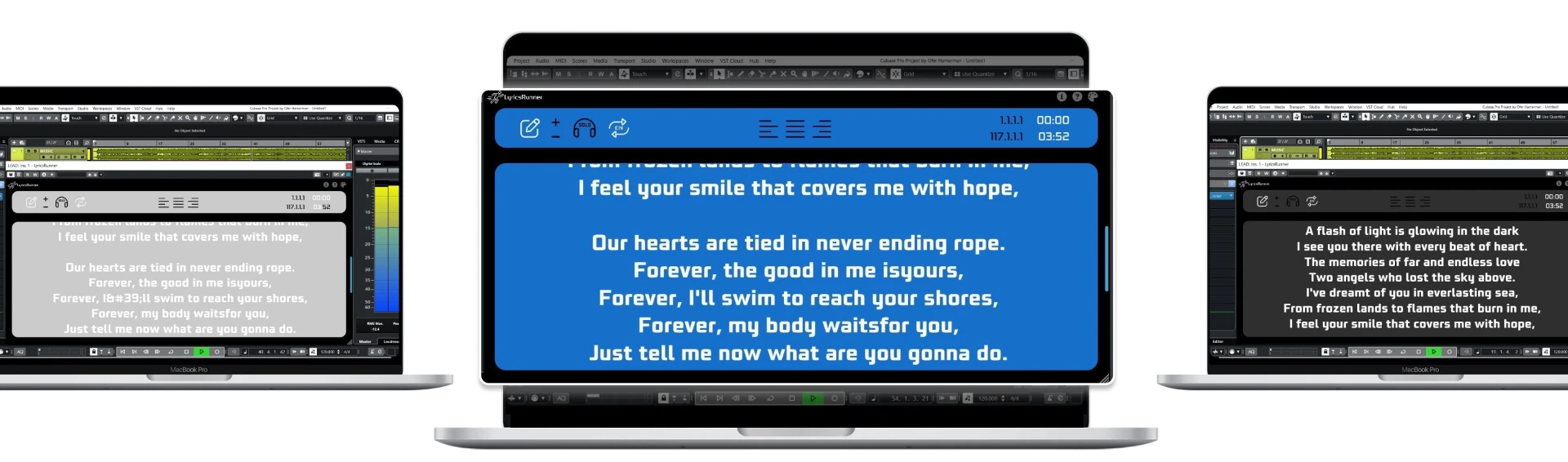
A free lyric prompter for singers is a good place to test whether on-screen words help your rehearsal. Start with one song and the free browser teleprompter, then compare the result with a DAW-linked workflow only if you need it. LyricsRunnerVST's 14-day trial is time-limited; its lifetime plugin license is $49, not a permanently free VST.
Decide what a successful rehearsal looks like
Choose one practical goal: finish a verse without searching for a line, keep the chorus visible after a restart, or stop touching the screen between phrases. Avoid judging the tool solely by whether it looks professional. A successful test should make your existing rehearsal easier without introducing a new control task while you sing.
Use a song you already know reasonably well. If you are learning the melody, wording and arrangement simultaneously, it is harder to tell whether the display is helping. Keep a copy of the current lyrics, identify the difficult passage and note where you normally lose your place. That is the passage to revisit after setting up the prompt.
Prepare the words for a small screen
Paste the lyrics in performance order and split long passages into natural phrases. Include repeated choruses explicitly instead of telling yourself to return to an earlier page. Mark instrumental breaks and simplify any section labels. The source text should be understandable without needing to remember what a private shorthand meant when you wrote it.
Read the display from your normal singing position before playing the track. Make the font large enough for a quick glance, choose clear contrast and ensure that long words do not require you to move closer. If the text is still crowded, shorten the visual lines instead of shrinking every word. Good formatting is useful whether you eventually use a free tool or a paid plugin.
Run the free browser test from beginning to end
Open the free browser teleprompter and rehearse the opening verse through the chorus. Adjust scrolling for that performance rather than assuming the first setting will fit. Notice whether the next line is available before you need it. Finish the section without changing controls if possible, then review the points where reading became uncomfortable.
Now stop and begin at the difficult passage. Count how much resetting the screen needs. Browser prompting can be perfectly suitable for independent practice, but a manually started scroll is not automatically synchronized with a recording timeline. That distinction becomes important when someone else controls repeated starts, punch-ins or loops in a DAW.
Compare a plugin trial only if playback position is the problem
If your recording process repeatedly breaks the free-tool workflow, check DAW compatibility and evaluate the LyricsRunnerVST trial in your own session. Load the approved text, test the same passage and compare stop, rewind and locate behavior. The plugin is a lyric display, not a transcription or vocal-correction tool.
Use the same song and screen position for both tests. Changing the arrangement, distance and lyric formatting at the same time makes the comparison less useful. Include a save-and-reopen check with the DAW project. The question is not which product has more features, but which one lets you return to the right words with less preparation in your actual workflow.
Make the decision from the rehearsal, not the search result
Keep using the free browser tool if it meets the goal you set. If DAW-linked lyrics solve the repeated-reset problem, the paid license may be worth evaluating. A free trial is an opportunity to check fit, not proof that every singer needs a plugin. No prompting tool guarantees a stronger performance or eliminates the value of learning the song.
LyricsRunnerVST offers 14 days without a credit card and a $49 lifetime license with one payment. For a broader evaluation, use the five recording tests for a lyric teleprompter app. Keep the approved lyric copy regardless of which tool you choose; it remains your backup and your reference for future edits.
Try it yourself
Ready to transform your sessions?
Drop your email — we'll send the 14-day trial download link to your inbox. No credit card.
- 30-day money-back guarantee
- Instant download
- VST3 / AU / CLAP on Mac & Windows