DIY Lyrics Prompter: Test a Software-First Setup Before Buying Hardware
A DIY lyrics prompter can begin with the computer and screen you already own. First prove that the words are readable and that the scrolling fits your rehearsal workflow. Use a browser prompt for simple practice or evaluate a compatible DAW-linked plugin when playback position matters. This guide is a software test, not an electrical or stage-rigging tutorial.
Define what you actually need to follow
If you practice an entire song from start to finish, manually started scrolling may be enough. If you record short phrases, rewind frequently or run backing tracks from a session, you may need the lyrics to reference the DAW transport. Write down the operations that interrupt you today. Those interruptions are more useful selection criteria than the number of buttons on a product page.
Decide whether a performer or another person will operate the system. A setup that requires the singer to reset the text before each phrase can be workable alone but cumbersome during an engineer-led session. If the band changes structure freely, a fixed timeline also has limits. Choose the reference deliberately rather than expecting every scrolling tool to follow every performance.
Build a clear lyric sheet before adding hardware
Use one song as your test case. Include the real introduction, verses, choruses and instrumental breaks in performance order. Break long paragraphs into singable phrases and write repeated sections out in full. Add a clear cue for a rest, but avoid cluttering the display with mixing notes, chord instructions or reminders that the singer does not need.
Save an approved plain-text copy outside the display tool. When lyrics change, update that copy before testing the screen again. A DIY setup becomes unreliable quickly if a phone, laptop and printed sheet each contain a different draft. Give the song a simple revision label and make it obvious which version belongs to the current arrangement.
Prototype the display with existing equipment
Start with the free browser teleprompter. Load your text and practice at the distance you actually intend to use. Adjust layout and scrolling until the next phrase is available in time. This proves a basic reading workflow, but it does not establish that a browser prompt will follow a DAW's locate and loop operations.
If you need a second screen, first test a display already connected to the computer. Confirm that the singer can read it without changing posture at the microphone. Keep the desk and cable layout safe and uncomplicated. A hardware wedge or a tablet mount is a separate project; do not commit to one until the reading and timing test shows what problem it needs to solve.
Add timeline-linked software only when the test calls for it
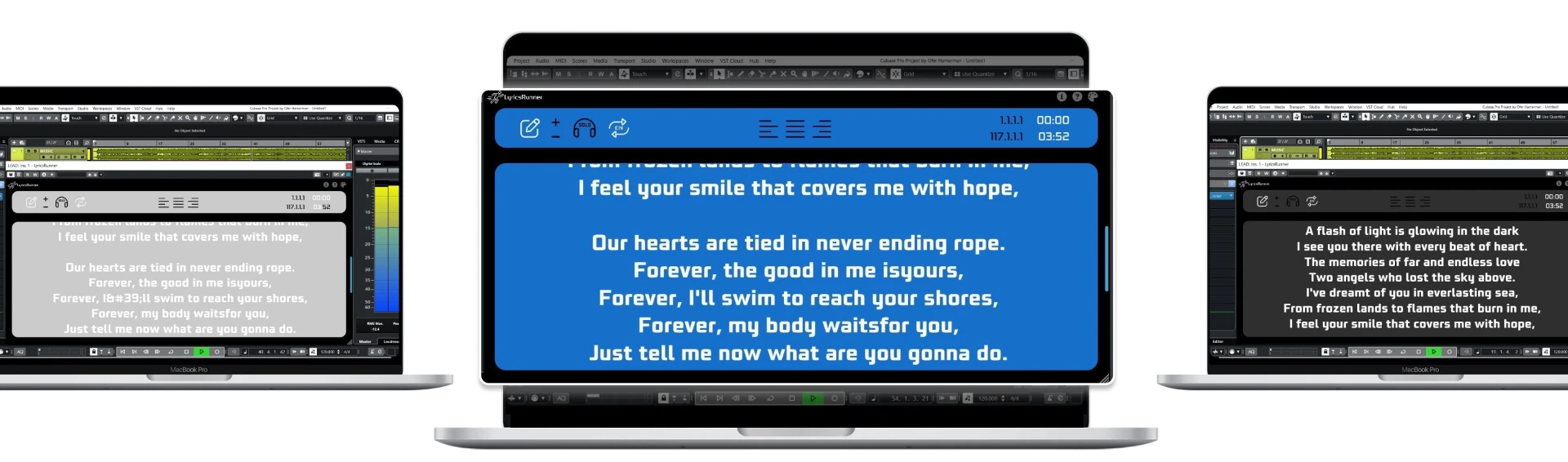
When restarting a take means repeatedly resetting a browser prompt, evaluate a lyrics plugin for the DAW. LyricsRunnerVST uses the DAW playhead as its reference and provides a resizable lyric window. Check compatibility with your exact host and installed package before using it. It is not a standalone phone app and does not create lyrics by listening to audio.
Run a short verse, then stop and restart at the chorus. Rewind to the introduction and check the first entrance again. Save and reopen the project before concluding that the workflow is repeatable. Do not describe a successful single playback as a complete live-show test; rehearsal conditions and the final computer or display arrangement can differ.
Set a clear stopping point for the experiment
After one song, identify the remaining problem: readability, timing, setup effort or performer control. Buy or change only the part that addresses it. If existing equipment works, the DIY experiment has already succeeded. A more elaborate display is not automatically a better lyric workflow.
The DIY lyric monitor example illustrates the separate hardware side of this search. For this software approach, start with the free browser tool or the 14-day LyricsRunnerVST trial. The plugin's lifetime license is $49 with one payment, not a hardware bundle. Continue with the lyrics monitor guide before choosing a screen.
Try it yourself
Ready to transform your sessions?
Drop your email — we'll send the 14-day trial download link to your inbox. No credit card.
- 30-day money-back guarantee
- Instant download
- VST3 / AU / CLAP on Mac & Windows