Lyric Teleprompter App: Five Tests Before Using It for Recording
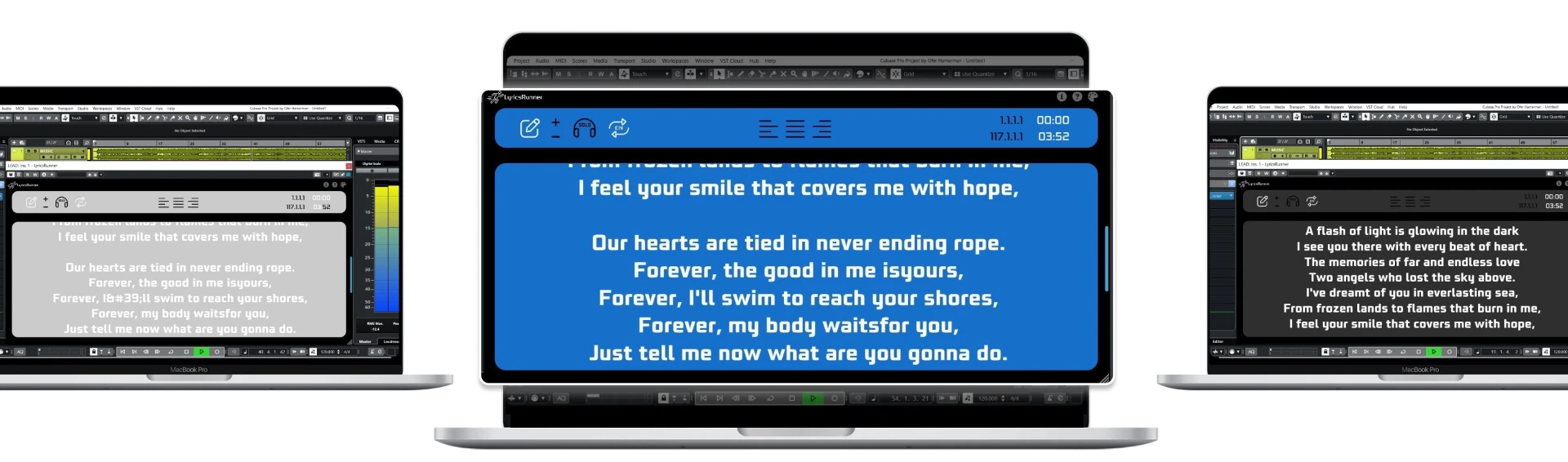
A lyric teleprompter app can be excellent for practice yet awkward during repeated recording takes. Before choosing one, test what happens when the engineer stops, rewinds and starts from the middle of a verse. Decide whether you need a standalone device or lyrics linked to a compatible DAW; those are different workflows, not interchangeable product labels.
Test one: restart from a specific phrase
Choose a song with a verse, chorus and later repeated section. Start the backing track from the beginning, then stop halfway through and restart at a later phrase. Watch how much preparation the lyric tool requires. Does someone have to find the paragraph and reset the scrolling, or is the display tied to the same position reference as playback?
A fixed-speed browser prompt can be sufficient when you always run the whole song. A DAW-linked lyrics plugin becomes relevant when you repeatedly locate, loop and record small sections. Neither approach proves useful until you test it with your arrangement. Avoid buying based only on a demonstration that starts at the beginning and never stops.
Test two: revise a lyric between takes
Change a word, add an ad-lib and move a line to another section. Check how quickly the corrected version becomes the one the singer actually sees. A tool that imports files may suit finished songs, while a directly editable display may suit sessions where lyrics change frequently. The important question is whether the team can maintain one approved version.
Keep a separate source copy with a clear song name and revision label. If the singer's device and the producer's computer contain different drafts, decide who owns the final text before recording. Prompting software cannot resolve disagreement about which lyric is correct. A simple review at the start of the session often matters more than an impressive list of display features.
Test three: read while staying at the microphone
Put the screen in its intended position and sing the fastest passage. If the singer has to lean in, turn sharply or touch the screen, the layout is not ready. Try shorter line breaks and stronger contrast before adding more equipment. Count how many lines are useful ahead of the current phrase; showing the entire song is not necessarily helpful.
For a computer-based plugin, a connected second display can move the lyrics closer to the performer. That does not mean the software includes a mobile app or wireless screen-sharing service. If a phone or tablet is essential, verify that device workflow separately rather than assuming that “second screen” and “standalone app” mean the same thing.
Test four: check the host and format
LyricsRunnerVST is a lyrics display plugin, not a vocal audio effect. It is not an iOS or Android standalone lyric teleprompter app, and it does not generate lyrics from audio. Its published format is VST3. Check your host's supported formats, current plugin package and installation instructions before relying on it in a paid recording session.
Format matters more than a DAW name mentioned in marketing. A host that does not load a format natively may need an explicitly supported alternative workflow. Ask support when the combination is unclear. Do not assume that installing the same file in a different folder changes VST3 into AU or AAX.
Test five: distinguish free use from a free trial
A free lyric prompter, a time-limited trial and a paid license are different offers. The site's browser teleprompter is a free way to try a readable text layout. LyricsRunnerVST offers a 14-day trial without a credit card; the continuing lifetime license costs $49 with one payment.
Make your choice after recording a real verse, not after browsing screenshots. If playback-linked lyrics help your process, consult compatibility and installation details. If you simply need a practice reference independent of a DAW, begin with the browser tool. For repeated takes, use the punch-in checklist to evaluate the next step.
Try it yourself
Ready to transform your sessions?
Drop your email — we'll send the 14-day trial download link to your inbox. No credit card.
- 30-day money-back guarantee
- Instant download
- VST3 / AU / CLAP on Mac & Windows