How to Make a Karaoke Track With Synced Lyrics (Free Methods)
A karaoke track is two things bolted together: an instrumental, and lyrics that appear at the right moment. They're independent problems, and it's worth solving them separately.
Part 1: getting the instrumental
If you produced the song yourself, this is trivial — mute the lead vocal and bounce. Keep backing vocals in if you want singers to have something to lean on.
If you only have the finished master, you'll need AI stem separation. Modern source-separation models split a mix into vocals, drums, bass and other with surprisingly good results, and several free tools exist. Expect artefacts on dense or heavily-processed mixes — the more reverb on the original vocal, the more residue you'll hear.
An official instrumental release, when one exists, will always beat a separated one.
Part 2: timing the lyrics
The standard format is LRC: a plain text file where each line is prefixed with a timestamp, like [00:24.10]I remember when. Almost every karaoke and lyrics-capable player reads it.
The fastest way to build one is by tapping: play the track and press a key at the start of each line. Our free lyrics sync tool does exactly this in the browser — load your audio, paste the lyrics, tap once per line, download the .lrc. Nothing is uploaded.
Timing tips that make it feel professional
- Stamp a fraction early rather than late. Singers need to read the line before they sing it.
- Break long lines in two. A line that takes eight seconds to sing should be two timed lines, not one.
- Put instrumental sections in as empty timed lines so the display doesn't sit frozen.
- Check the last chorus separately — ad-libs and repeats are where most timings drift.
Part 3: displaying it
For a party, any player with LRC support plus a TV is enough. For a lyric video, import the LRC into your video editor and use the timestamps as keyframes.
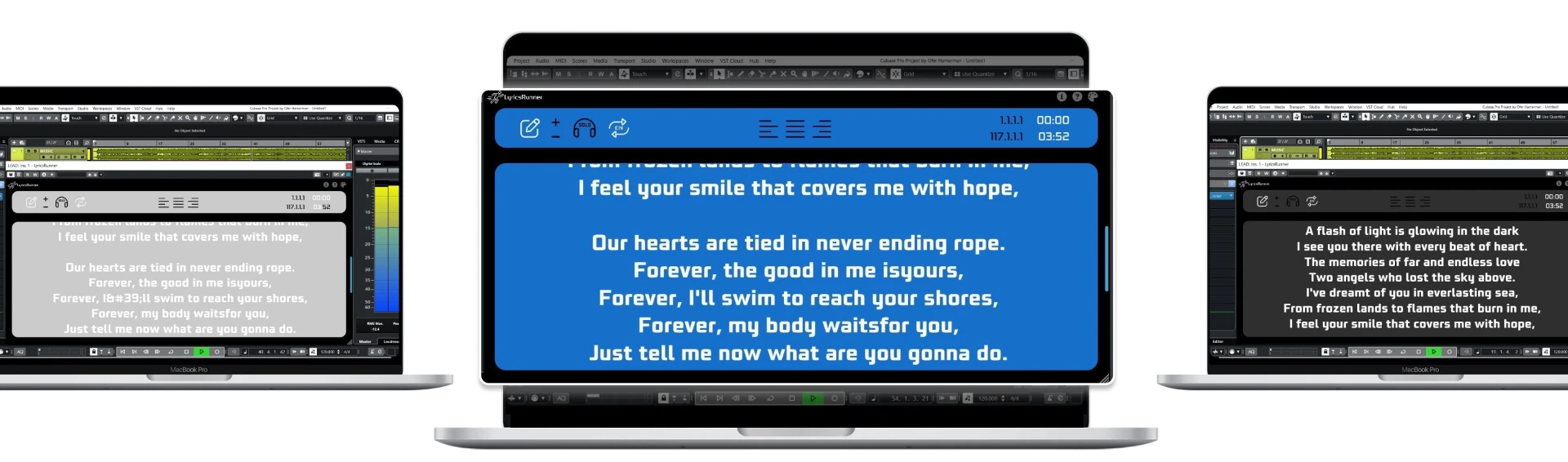
For recording — where you're the one singing and the track is still being produced — LRC is the wrong tool. Timestamps break every time you edit the arrangement. Inside a DAW, LyricsRunnerVST reads the playhead directly, so the lyrics stay correct no matter how many times you move a section or change the tempo.
A note on copyright
Making a karaoke version of someone else's song for private use is generally fine. Publishing or performing it commercially involves mechanical and synchronisation licences. If you're monetising it, check the rules in your territory first.
Try it yourself
Ready to transform your sessions?
Drop your email — we'll send the 14-day trial download link to your inbox. No credit card.
- 30-day money-back guarantee
- Instant download
- Works in every major DAW