Text Scrolling VST for Seamless On-Screen Lyrics
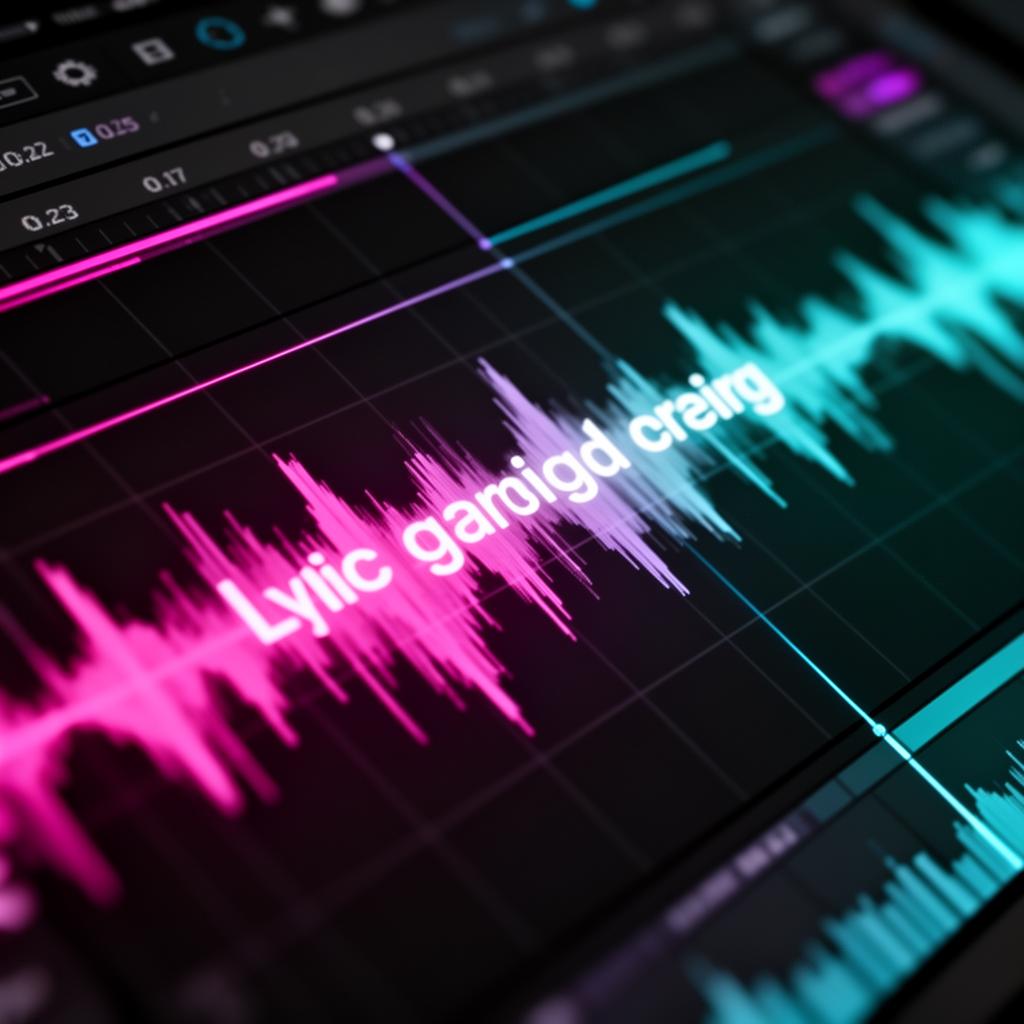
Did you know a text scrolling VST could save up to 180 hours a year in recording time? Yes, it's true. The Lyrics Runner VST makes adding lyrics to your music much easier. This makes the process both faster and more fun.
The Lyrics Runner VST is the top choice for a text scrolling VST . It brings you automatic lyric display, the option to change backgrounds, and helps save time. It's great for singers who want a teleprompter or producers who need to keep track of lyrics.
Ready to improve your music production? Get this leading text scrolling VST . You'll see a big change in your recording sessions and live shows.
Key Takeaways:
- Lyrics Runner VST is a game-changer in music production, providing seamless on-screen lyrics.
- Using a text scrolling VST plugin can save up to 180 hours per year in recording sessions.
- Lyrics Runner VST offers automatic lyrics presentation, customizable backgrounds, and time-saving features.
- It is compatible with popular digital audio workstations (DAWs) like Cubase, Logic, Ableton, Protools, FL Studio, Studio One, and Reaper.
- Download Lyrics Runner VST today to enhance your music production workflow and deliver captivating vocal performances.
Revolutionizing Studio Sessions with LyricsRunnerVST
Studio sessions can be crazy and hard, especially for singers using lyrics. The usual way, looking through pages of text, is not easy. It's a big distraction and time waster.
But now, there's LyricsRunnerVST . It's a VST plugin changing everything for pros in the studio. It makes looking at lyrics easy, so artists can give their all without hassle.
“LyricsRunnerVST acts as a teleprompter for singers, beautifully synchronizing the lyrics display with the music. This automation ensures that singers can stay in the moment and effortlessly follow along without missing a beat.”
It works great with DAWs like Cubase, Ableton, and more. This makes the recording process smooth for everyone involved.
The Benefits of LyricsRunnerVST for Studio Sessions
Just imagine, no more wasting time scrolling through lyrics. With LyricsRunnerVST , artists can focus on their performance. They won't be interrupted by the need to manage words.
It makes the recording process simpler. Lyrics scroll as the music plays, keeping the energy up. This way, art flows naturally, with no breaks or hiccups.
Professionals love how it works with their DAWs. It makes everything seamless, letting them create without tech issues.
Unleashing Creativity with LyricsRunnerVST
LyricsRunnerVST is more than a studio tool. It's a key to unlocking creativity for artists. By showing lyrics automatically, it lets artists dive deep into their work.
It's easy to use and can be adjusted to fit any artist’s needs. This freedom helps with making great music or trying something new.
Experience Seamless Lyrics Management
Top pros are using LyricsRunnerVST. It makes the studio a better place to work. No more hassle with lyrics, just a smooth and creative recording process .
Streamlining the Creative Process with LyricsRunnerVST
For singers and musicians, organizing lyrics can be a big challenge. LyricsRunnerVST makes this easier. It helps artists focus on their music and deliver amazing performances.
LyricsRunnerVST lets singers see their lyrics on the screen in real-time. This feature is great because it removes the need for paper lyric sheets. Singers don't have to worry about keeping up with their lyrics. This is because the lyrics move along perfectly with the music.
Importing and editing lyrics is simple with LyricsRunnerVST. Artists can bring in lyrics from different sources, like text files. They can also work with their existing music software. This makes organizing lyrics for shows and studio work much easier.
“LyricsRunnerVST has completely transformed my creative process . I no longer have to worry about forgetting lyrics or fumbling with lyric sheets during live performances . The dynamic lyrics scrolling keeps me in sync with the music, giving me the freedom to focus on delivering an engaging performance." - Sarah Smith, professional singer”
"LyricsRunnerVST has completely transformed my creative process . I no longer have to worry about forgetting lyrics or fumbling with lyric sheets during live performances . The dynamic lyrics scrolling keeps me in sync with the music, giving me the freedom to focus on delivering an engaging performance." - Sarah Smith, professional singer
LyricsRunnerVST helps artists push their creative boundaries. It's easy to use, with a simple and intuitive design. This means artists can spend more time creating and less time worrying about their lyrics.
In both live shows and recording studios, LyricsRunnerVST is a game-changer. It gets rid of distractions and helps artists connect with their music. By managing and displaying lyrics smoothly, it lets artists do what they love - make music.
Next, we'll look at how LyricsRunnerVST boosts studio work and makes recording easier for music pros. Look out for Section 4: Enhancing Studio Productivity with LyricsRunnerVST.
Enhancing Studio Productivity with LyricsRunnerVST
Studio productivity is key in creating top-notch music. Music producers and techs rely on tools to boost their work. LyricsRunnerVST is a game-changer, making studio work smoother and the recording experience better.
It works with major DAWs like Cubase, Logic, and FL Studio. This means it fits right into your setup, adding power to your studio software.
LyricsRunnerVST nails handling lyrics during vocal takes. You won't have to scroll through lyrics manually or shuffle papers. Lyrics show up on screen in perfect sync, letting artists dive deep into their recording.
This tool cuts out manual lyric work. In a year, it can save you a whopping 180 hours. Think of all the time you'll have to make vocals and songs just right.
“LyricsRunnerVST has revolutionized the way we approach vocal recording. With its seamless lyrics management and compatibility with advanced music software, we can now focus on producing the highest quality vocal performances without any distractions." - Emily Thompson, Music Producer”
LyricsRunnerVST ups studio efficiency, enabling better vocals. It lets producers and techs spend more time polishing vocals. With its advanced options and DAW integration, LyricsRunnerVST is changing the music scene.
LyricsRunnerVST for Live Performances
Live performances are where music truly shines. They are the core of an artist's work. LyricsRunnerVST changes the game for singers, allowing them to perform without being tied to lyrics.
It lets singers focus on their art, connecting deeply with the crowd. Imagine performing without the stress of remembering lyrics or looking at sheets. It's all about shining with your voice and presence.
LyricsRunnerVST perfectly syncs lyrics with the music. This professional touch means no more struggling with a teleprompter or staying on beat. Live shows are smooth for everyone.
Unleash Your Stage Performance Potential
LyricsRunnerVST empowers singers to make their performances unforgettable by:
- Automatically showing lyrics in real time, freeing them to perform better.
- Making sure lyrics match the music for a professional show.
- Getting rid of lyric sheets and teleprompters, letting singers move as they please.
It doesn't matter if it's a small place or big stage, LyricsRunnerVST takes live music to a new level.
“LyricsRunnerVST transformed my live performances. I no longer have to worry about forgetting lyrics or struggling to stay in sync. It allows me to connect with the audience on a deeper level and deliver my best performance every time." - Jenna Lewis, Singer-Songwriter”
Experience the Seamless Synchronization of LyricsRunnerVST
LyricsRunnerVST ensures flawless lyric display with the music. This makes the concert more professional and captivating, from start to finish.
Here's a simple example to show you:
This example shows LyricsRunnerVST synchronizing lyrics with music flawlessly. It makes the performance great and keeps the audience captivated.
With LyricsRunnerVST, live music becomes a moment of pure artistry. It leaves a lasting impression on the audience, every single time.
Seamless Integration with DAWs
LyricsRunnerVST works seamlessly with popular digital audio workstations (DAWs). It's a great tool for your music production work.
It runs on 64-bit VST3 hosts on Windows 7 and later. This ensures smooth work for both producers and musicians.
What’s special about LyricsRunnerVST is you can save comments, lyrics, or other text for each track in the DAW. This makes it easy to find important information and helps with your recording and mixing.
Also, LyricsRunnerVST syncs well with lyrics and subtitles in your DAW. This makes sure your lyrics match your music perfectly, for a professional finish.
Having all your lyrics and track text easily available in your DAW means you can focus more on your music. There are no disruptions or tech issues to get in your way.
The Benefits of Seamless Integration
“LyricsRunnerVST's seamless integration with DAWs has changed how I make music. Now, I can show lyrics in my software easily. It saves me time and makes my work smoother." - Sarah, Music Producer”
"LyricsRunnerVST's seamless integration with DAWs has changed how I make music. Now, I can show lyrics in my software easily. It saves me time and makes my work smoother." - Sarah, Music Producer
Unlock Your Creative Potential
- Effortlessly manage and store lyrics and track information within your DAW.
- Synchronize lyrics with your music using lyrics track text items and region SWS subtitles.
- Focus on your creative vision without distractions or technical challenges.
- Enhance your recording and mixing process with easy access to important information.
Try out LyricsRunnerVST for an enhanced music production experience. Level up your music-making game.
Continuous Improvements of LyricsRunnerVST
LyricsRunnerVST is all about making music makers' lives easier. We keep getting better to match new tech and meet music industry needs.
We're always making LyricsRunnerVST better for you. We add new features, improve how it works, and increase its power regularly.
Staying current with tech is big for us. This ensures LyricsRunnerVST works smoothly with the latest software and in modern studios.
Our developers listen to your feedback and fix issues quickly. This constant cycle of improvement means a better tool for you, every time.
One cool thing about LyricsRunnerVST is that you can customize how the lyrics appear. This makes singing in the studio or on stage more fun and easy on the eyes.
Each update makes LyricsRunnerVST even more useful and enjoyable for you. Our goal is to make your music work better and smoother.
We've got more great stuff coming soon. So, keep an eye out for new features that'll make LyricsRunnerVST even better than before.
With every update, LyricsRunnerVST shows its dedication to getting better. We want to give music makers the top-notch tool they deserve for their work.
Creating Music Videos with Lyrics
Adding lyrics to music videos makes them more engaging. It's useful for musicians, content creators, and filmmakers to connect with their audience. We'll share tips for making your music videos pop with lyrics.
Choosing the Right Video Editor
Picking the right video editor is key. You want one that can handle various video and audio formats. This ensures you can easily work with your content. Look for software with a clear layout and lots of helpful features for lyric videos.
“Pro Tip: Consider using online video editors like Kapwing . They offer a bunch of tools that can make your lyric videos really stand out. Their platform is easy to use and allows for teamwork on your projects.”
Pro Tip: Consider using online video editors like Kapwing . They offer a bunch of tools that can make your lyric videos really stand out. Their platform is easy to use and allows for teamwork on your projects.
Adding Compelling Video Effects
Video effects can make your music videos really shine. They should match the song's emotions and style. Things like filters and transitions can take your video from alright to amazing.
Using creative video effects turns your lyric video into something that grabs your audience's attention. They'll want to watch it over and over again.
Making a Good Lyric Video
Making a good lyric video needs planning. You should think about different aspects to make it look and feel great.
Here's what to keep in mind:
- Match your fonts and styles to the song's vibe.
- Add animations to make your lyrics pop.
- Use b-roll that fits with what the song is saying.
- Try out different colors and filters for a unique look.
- Use overlays to emphasize important parts of the lyrics.
- Make sure your lyrics are in sync with the music.
Following these tips will help you make a lyric video that's more than just words on a screen. It'll be something that stands out.
“Remember, a good lyric video enhances your music's emotion. It's a powerful way to connect with listeners.”
Remember, a good lyric video enhances your music's emotion. It's a powerful way to connect with listeners.
With the right tools and these guidelines in mind, you're ready to start making lyric videos. Have fun, get creative, and your videos will surely make an impact on your viewers.
Making a Good Lyric Video
Creating a compelling lyric video needs special care and the right mix of elements. You should focus on effects , animations , b-roll footage , and professional video effects . This mix will take your lyric video to the next level. Here are the key elements:
1. Stylized Text
Stylized text is crucial for a good lyric video. Use different font styles, sizes, and colors. This makes the lyrics pop and easy to read. Viewers will stay glued to the screen as they listen.
2. Smart Video Editing Tools
Access to smart video editing tools is essential. They let you sync the lyrics smoothly with the music. These tools help you match the rhythm and improve the visual experience.
3. Engaging Animations and Transitions
Include animations and transitions to make your lyric video dynamic. Transition effects make lines flow seamlessly. Animations highlight words or phrases, capturing viewer's attention.
4. B-Roll Footage
Adding b-roll footage can make your video more interesting. Choose footage that fits the lyrics and enhances the story. It could be scenic views, abstract images, or anything that fits the song.
5. Professional Video Effects
Use professional video effects to set the right mood and tone. You can use color grading and filters to tweak the look. Play around with different effects to get the impact you want.
By using these elements, you can make your video visually impressive. Tools like Kapwing offer many effects to use. They can help you make a lyric video that looks pro. Don't hesitate to use them to turn your ideas into reality.
Fullscreen and Interactive Features for LyricsRunnerVST
LyricsRunnerVST is growing to help music makers and performers more. It's adding fullscreen and interactive abilities, which users wanted a lot.
Picture seeing the lyrics on a big TV on stage. It helps singers sing in time with the words. This makes their performance better, keeping everyone in the audience entertained.
But, the TV needs to show web pages for all this to work. This makes sure everything looks good and works smoothly.
Join in helping LyricsRunnerVST get better. Tell us what you think about fullscreen and interactive features . Let's work together to make music fun and engaging with this great plugin.
Stay Tuned for Exciting Updates
We're always making LyricsRunnerVST better, and your ideas are essential. Let's make music more interactive and beautiful. Together, we'll lift lyrics to an art form.
Donations and Support for LyricsRunnerVST
We're so grateful for all our users who have given donations to LyricsRunnerVST. Your help has been key in making this plugin better. It allows us to show lyrics on the screen for music projects smoothly.
Thank you for recognizing LyricsRunnerVST and supporting it. We hope you will donate to help us improve even more. With your donations , we can make the plugin better for everyone.
Donating is simple. Just go to our website and press the "Donate" button. You can pick any amount to give. Remember, even small donations mean a lot to us.
Your support is not only about money. It's about joining others who love LyricsRunnerVST. Together, we can make it the best tool for all music makers.
We appreciate your support more than words can say. With your help, LyricsRunnerVST will keep getting better. Thank you for being a part of our community.
Conclusion
We've looked at how LyricsRunnerVST changes music production with its on-screen lyrics. It makes it easy to see the lyrics while recording. This saves time and helps artists focus on their performance.
This tool not only shows lyrics instantly but also makes them move as you sing. It makes managing lyrics simple for producers. This leads to better singing and song recordings.
For live shows, LyricsRunnerVST is a big help. It syncs lyrics well and works smoothly with music software. It keeps getting better with new updates, making it more user-friendly.
Looking to improve your music? LyricsRunnerVST could be just what you need. It will make your studio work and live shows better. With clear on-screen lyrics, you can really connect with your audience. Give it a try and watch your music shine with smooth lyrics scrolling .
FAQ
What is LyricsRunnerVST?
LyricsRunnerVST is a cutting-edge VST plugin . It shows lyrics on-screen for music making.
What are the advantages of using LyricsRunnerVST?
It makes showing lyrics easy. You can set your own backgrounds. Plus, it can save 15 minutes each time you use it. Over a year, that's 180 hours saved.
How does LyricsRunnerVST transform studio sessions?
It makes scrolling lyrics smooth. This way, singers don't get off track. It syncs lyrics perfectly with the music as a teleprompter would.
Which digital audio workstations (DAWs) are compatible with LyricsRunnerVST?
It works with many DAWs. Including Cubase, Logic, Ableton, Protools, FL Studio, Studio One, and Reaper.
How does LyricsRunnerVST streamline the creative process?
It shows real-time lyrics. Plus, it has tools like dynamic scrolling and easy imports. This helps singers give better performances.
How does LyricsRunnerVST enhance studio productivity?
It helps techs and producers focus on vocals. It eases lyric handling during recordings. This makes the whole process better.
Can I use LyricsRunnerVST for live performances?
For sure, it's great for live shows. It makes singers perform better by keeping lyrics in sync. This makes shows look pro.
How does LyricsRunnerVST integrate with digital audio workstations (DAWs)?
It works smoothly with major DAWs. Like Cubase, Logic, Ableton, Protools, FL Studio, Studio One, Reaper, and more. You can save notes or lyrics in the software.
Does LyricsRunnerVST support fullscreen display and interactive features?
Not yet on fullscreen or interactive options. But, you can use a TV for lyrics. Just make sure it can show web pages.
How can I support the development of LyricsRunnerVST?
To help make it better, you can donate. Any support is big for the developers. They're grateful for all donations.
Try it yourself
Ready to transform your sessions?
Drop your email — we'll send the 14-day trial download link to your inbox. No credit card.
- 30-day money-back guarantee
- Instant download
- Works in every major DAW