Best Lyrics Overlay Tool for Studios & Singers - Try Now!
Using a lyrics overlay tool can save studios about 180 hours per year in recording sessions. This tool streamlines the process of adding synced lyrics to music videos. It saves both time and effort.
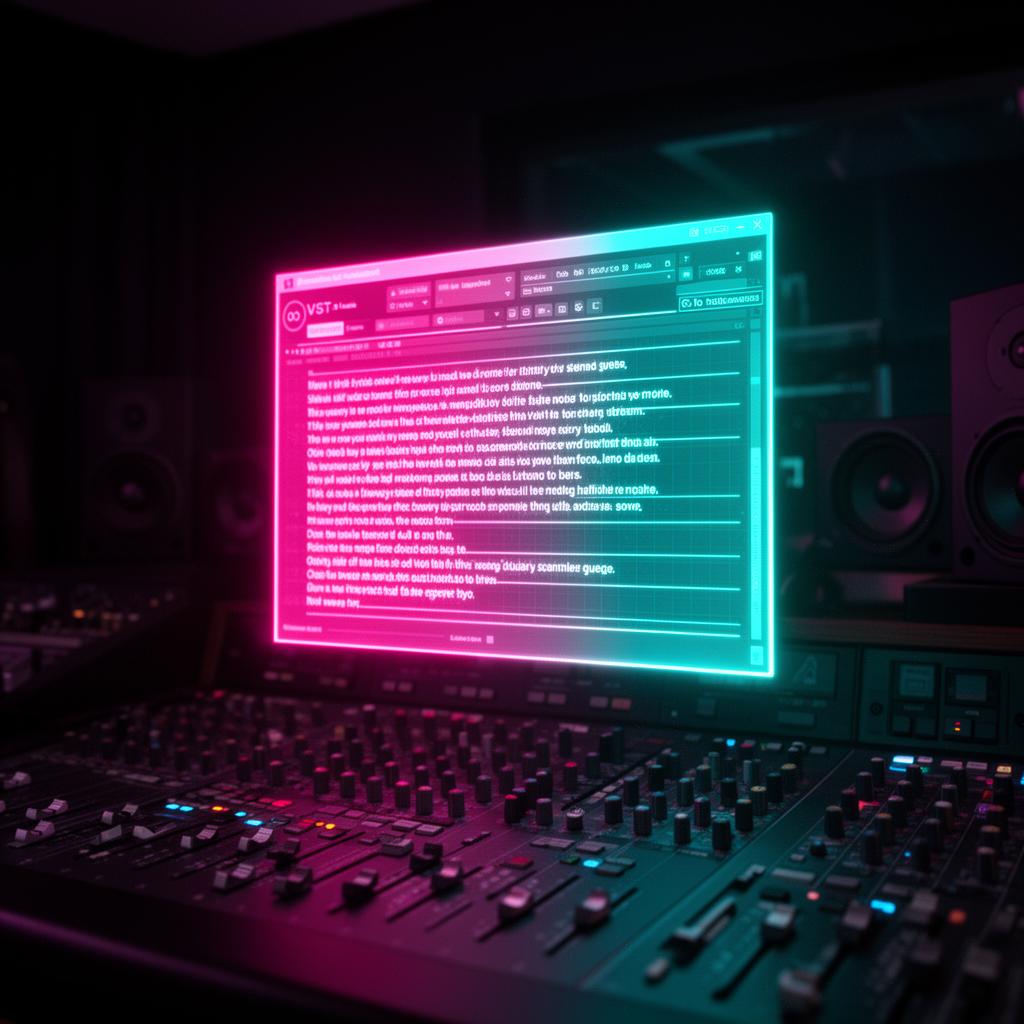
Meet Lyrics Runner VST, a game-changing plug-in for studios. It helps by automatically showing lyrics and lets users pick backgrounds for comfort. With this tool, you can make lyric videos more appealing. This enhances your music videos for your viewers.
Whether you're a studio or a singer, Lyrics Runner VST is essential. It speeds up your work or makes your music more attractive. Lyrics Runner VST is the perfect tool for anyone wanting to create eye-catching lyric videos.
Key Takeaways:
- Create professional lyric videos in minutes with Lyrics Runner VST.
- Enhance fan engagement and promote a deeper connection with synchronized on-screen lyrics.
- Save time with automatic transcription and syncing features.
- Choose from a wide range of text styles, fonts, animations, and video backgrounds.
- Try Lyrics Runner VST for free and upgrade to access additional features.
Boost Your Music Videos with Dynamic Text
Adding dynamic text to your music videos is easy with Lyrics Runner VST. It lets you blend lyrics right into your video. This way, people can follow the words as they enjoy the music. Plus, you can choose from various text styles and animations to make your video more engaging.
When making music videos, text overlays can tell the story in a new way. Lyrics Runner VST helps you do this by showcasing lyrics in an exciting fashion.
For anyone in the music industry, adding synchronized text can really boost your videos. It helps people understand and connect with your song better. This tool ensures your lyrics always match the music.
Lyrics Runner VST offers lots of design options. This means you can make videos that fit your music style perfectly. Whether you like simple or flashy, this tool has it all.
Making videos with this tool is straightforward. You can quickly add the text you want and adjust it to look just right. This saves you time editing.
If you want to up your music video game, Lyrics Runner VST is the way to go. It will make your videos more captivating and memorable. Try it out and see the difference dynamic text can make in your videos.
Easy-to-Use Lyrics Overlay Tool for Studios
Lyrics Runner VST is perfect for making lyric videos in studios. It has an easy interface. This tool is great for all studios, new or experienced, to make their videos engaging.
One big plus of Lyrics Runner VST is you can drag and drop. You add text easily over your videos. You get to pick how the text looks, which makes your videos unique. Making awesome videos for your fans only takes a few clicks.
No more stress with matching lyrics to music. Lyrics Runner VST does this for you. It saves a lot of time. Now, you can focus on making your videos great for everyone to enjoy.
Features of Lyrics Runner VST:
- Drag-and-drop functionality for easy import of videos
- Customizable text overlays for personalized lyric videos
- Automatic syncing of lyrics for a seamless editing process
- User-friendly interface for a smooth workflow
Lyrics Runner VST makes making videos simple. It's great for any studio. This tool helps you create outstanding music and lyric videos quickly and easily.
Make your work at the studio better with Lyrics Runner VST. Try it now and see how simple and fast you can make cool videos.
Enhance Fan Engagement with Lyric Videos
Lyric videos have grown in importance for artists. They help fans feel a deeper connection. Putting on-screen lyrics in videos can make fans interact more with your music.
Lyrics Runner VST makes it easy to create stunning lyric videos. The tool lets you add lyrics on top of your videos. This ensures they match your music perfectly.
By adding visuals and lyrics, fans can get into your music more easily. They feel like they're part of the song, which makes them engage more. It can even get them singing your songs.
Using Lyrics Runner VST is good for both new and experienced artists. It helps fans sing and feel your music. This could help build a strong fan base for you.
Creating an Emotional Connection
Lyric videos evoke feelings and make a connection with the audience. By showing lyrics visually, fans get the song's message better. This makes them understand the emotions of the artist.
“Lyrics Runner VST lets you style your lyrics in many ways. You can pick different fonts and animation. This makes your videos fit your music's mood. It can strongly impact your fans.”
Increasing Music Appreciation
Lyric videos help fans follow your songs better. They also make fans appreciate your music more. Everyone loves to sing along to songs they understand well.
“Lyrics Runner VST offers many ways to style your videos. You can pick backgrounds and effects. This helps make your lyric videos stand out and be memorable.”
Using Lyrics Runner VST can really boost your engagement with fans. It improves their experience with your music. This can also help you stand out in the music world.
So why postpone? Get started on making awesome lyric videos with Lyrics Runner VST. It's the perfect tool to grow your fan base and connect better with your audience.
Create Professional Lyric Videos in Minutes
Making great lyric videos is easy now with Lyrics Runner VST. It's a tool that adds words to videos. It's simple to use and makes your lyrics stand out quickly.
Lyrics Runner VST lets you mix video, images, and sounds without trouble. This means you can start your lyric video fast and without problems.
Being able to change things makes your video special. Lyrics Runner VST lets you pick from many looks to match your style. You can add animations, effects, and more to make your video unique.
Also, you can pick your video's background. You might choose something plain or very colorful. It’s up to you what fits your song best.
Picking the right words style is important. With Lyrics Runner VST, you get many fonts to use. Each font helps tell your story in a way that fits your music's feelings.
This tool is perfect for studios, singers, or anyone making videos. It helps you focus on creativity, not hard tech stuff. So, you can make videos that people really like.
Key Features of Lyrics Runner VST:
- Easy import of video, image, and audio files
- Extensive customization options including animations, transitions, and effects
- Wide selection of video backgrounds
- Various font options to match your music's genre and mood
- User-friendly interface for seamless navigation and editing
Even if you're just starting or know a lot about making videos, Lyrics Runner VST is for you. It's quick and simple. You can turn your lyrics into cool videos in no time.
Save Time with Automatic Transcription
Typing out lyrics for videos is usually time-consuming. But with Lyrics Runner VST, you save a lot of time and hard work. This tool has a feature that automatically turns your lyrics into text and puts them in your video.
Thanks to high-tech solutions, this tool seamlessly blends your lyrics with your visuals. This makes your video look great with less effort from you. So, you can avoid the long hours of manual typing and syncing.
“Using Lyrics Runner VST changes the game for anyone making videos with lyrics. It makes the whole process faster, removing the need to sync things by hand. This gives you more time to focus on making your performance perfect.”
Using Lyrics Runner VST changes the game for anyone making videos with lyrics. It makes the whole process faster, removing the need to sync things by hand. This gives you more time to focus on making your performance perfect.
Would be easier if you're a singer, writer, or producer with a Lyrics Runner VST. It makes making videos with lyrics a breeze. By doing the transcription automatically, it helps you work smarter and put out videos that look pro without much hassle.
Efficiency and Accuracy
Lyrics Runner VST is built to be quick and spot-on. It uses the latest in tech to quickly get your lyrics right. So, you create videos that really catch your viewer's eye, knowing the text is right where it should be.
With this tool, you spend more time on the fun bits of making your video. Like picking cool backgrounds and fonts. No more lost hours on typing or syncing. Now, making music videos is more about creativity and less about boring, time-wasting tasks.
Using automatic transcription in Lyrics Runner VST saves both time and effort. Let it handle the hard stuff. This way, you get to focus more on creating videos that stand out. Automatic transcription not only makes it easier but also improves the quality of your videos.
Powerful Features of Lyrics Runner VST
Lyrics Runner VST is a top choice for studios and singers because of its powerful features. It has an innovative lyrics overlay tool . This makes it easy to create lyric videos that captivate your audience.
Wide Selection of Text Styles, Fonts, and Animations
With Lyrics Runner VST, you can choose from many text styles, fonts, and animations. It fits any style you like, from sleek and modern to playful and vibrant. Match your lyric videos' visuals with your music's tone and genre.
Variety of Video Backgrounds
You can pick from many video backgrounds to make your lyric videos visually appealing. There are landscapes, abstract patterns, and dynamic videos. This lets you create a unique experience for your viewers.
Easy Resizing and Exporting
Compatibility across platforms and devices is key for Lyrics Runner VST. The software is easy to use, letting you resize and export videos effortlessly. This helps you share your content smoothly on any device.
These features make Lyrics Runner VST a great tool for creating impressive lyric videos. It helps studios and singers enhance their music content. With its versatile lyrics overlay tool , you can engage and captivate your audience.
Try Lyrics Runner VST for Free
You can now try Lyrics Runner VST for free. See all it offers with no cost. This tool boosts your lyric video making.
Lyrics Runner VST is packed with features for all creators. It helps you craft stunning lyric videos. No matter if you're in a studio or just starting out, it's for you.
- Effortlessly synchronize lyrical content with your music videos
- Create visually stunning lyric videos with customizable text overlays
- Choose from a wide range of text styles, fonts, and animations
- Enhance viewer engagement and promote a deeper connection with your audience
- Save time with automatic transcription, eliminating the need for manual input
- Experience seamless integration with various video backgrounds
Take this chance to explore Lyrics Runner VST for free. It can transform how you make lyric videos. Open up new creative avenues with this top-notch tool.
The Power of Lyrics Runner VST
“Lyrics Runner VST lets you match lyrics with your videos seamlessly. It makes videos that people love to watch. - [Artist Name], Musician”
“For me, trying Lyrics Runner VST for free was a game-changer. It's both powerful and easy to use, turning video creation into an enjoyable experience. - [User Name], Lyricist”
Karaoke-Style Lyric Videos on Streaming Platforms
Streaming platforms like Spotify and Apple Music have seen a rise in karaoke-style lyric videos. They offer more than just music; they let users enjoy songs with on-screen lyrics.
This feature makes music more fun. Listeners can sing their favorite songs. They can connect with the lyrics in a personal way too. Karaoke-style lyric videos have added a new layer of interaction for music lovers.
For artists, using lyric videos is a smart move. It helps them make engaging music videos. With animated text, these videos look great. This approach also strengthens the bond between artists and their fans.
Tools like Karaoke Lyrics Viewer Tool are key in this trend. They help creators add synced lyrics to videos. This creates a deep and immersive music experience for viewers.
Artists can use these tools to reach out to their audience. They can make their songs more personal. As the need for interesting content grows, karaoke-style lyric videos are a valuable part of an artist's online profile.
Other Lyric Video Maker Options
Aside from Lyrics Runner VST, there are more lyric video makers available. These tools are user-friendly and offer many customization choices. They help you make professional lyric videos. Let's look at some top picks:
Kapwing
Kapwing is a great tool with a free option and audio-to-text. It has an easy, clear interface. With Kapwing, uploading audio or video to make lyric videos is a breeze. You can edit text, change how it looks, and check your video before it's done. Kapwing has tools to cut, adjust size, and add effects to your videos too.
VEED
VEED, another top choice, also has a free version with audio-to-text. It's easy to use. This platform lets you upload videos or audios and add lyrics easily. VEED offers many ways to customize, from fonts to color schemes, for eye-catching videos. You can review and tweak your video before saving it in the format you want.
Canva
Canva is versatile, with a focus on design. It has lyric video templates and vertical video reels. Creating lyric videos on Canva is straightforward. You pick a template, enter your lyrics, and make it your own with various design choices. Canva even lets you upload your own audio or video to fully personalize your video.
Kapwing, VEED, and Canva all bring something unique to the table. They are perfect for anyone, like studios, singers, or music fans, who wants to make catchy lyric videos. These tools make it easy to create videos that catch the eye and the heart.
- Free version with audio-to-text transcription
- Intuitive interface
- Text overlay customization
- Preview and editing features
- Free version with audio-to-text transcription
- User-friendly platform
- Customizable text overlays
- Preview and editing options
- Customizable lyric video templates
- Wide selection of vertical video reels
- Various text styles, fonts, and animations
- Personalized media file uploads
Lyric Video Software for PC and Mobile
Creating lyric videos can be fun and easy. There are many software options for PCs and mobiles. Whether you are a pro or just starting, these tools can make your music videos visually stunning. They synchronize lyrics and captivating visuals. Let’s look at some favorites for both PC and mobile:
PC:
- Filmora
- Animaker
- VSDC
- iMovie
- YouTube Studio
These software choices give you lots of features and options to be as creative as you want. You can find tools for adding text over videos, making music overlays, creating lyric videos, and much more. Everything you need to make professional lyric videos is here.
Mobile:
- Music Video Maker
- VidLab
- FilmoraGo
On-the-go, use mobile apps to create lyric videos easily. Apps like Music Video Maker, VidLab, and FilmoraGo have simple, user-friendly interfaces. They let you add text, music, and effects right on your phone.
You can choose PC programs or mobile apps to make lyric videos. These tools unlock your creative power. They help you create videos that people will love to watch. Try different software to see which one fits your style best.
Sample Table - Feature Comparison:
Note: This table is a simulated example and does not represent actual features of the mentioned software.
Conclusion
Lyrics Runner VST and other tools help studios and singers make amazing lyric videos. They give you the power to craft videos that engage and look great. For those in the music world, using a tools that overlay lyrics is a smart move. Lyrics Runner VST is great with its easy-to-use design and smart features like automatic transcription.
With Lyrics Runner VST, adding catchy text to your music videos becomes a breeze. You can pick various text styles and animations. This way, you make lyric videos that are both beautiful and fun to watch. The software allows for easy importing of your text and offers a lot of ways to customize.
If Lyrics Runner VST isn't what you're looking for, there are more options out there. Kapwing and VEED have free tools that turn audio into text. Canva offers templates you can customize. Then, you have software for PCs and mobiles like Filmora, Animaker, and VSDC. The list goes on with iMovie, Music Video Maker, VidLab, and FilmoraGo.
Explore these tools and find what works best for you. The right tool can really lift your lyric videos. It helps you connect with your fans and makes your music stand out.
FAQ
What is Lyrics Runner VST?
Lyrics Runner VST is a unique tool. It shows lyrics on videos and lets users pick backgrounds. This makes watching music videos better and saves time.
How can a lyrics overlay tool enhance music videos?
Using Lyrics Runner VST adds text that moves with your song. Viewers connect more with the song's message. It makes music videos more exciting to watch.
Is Lyrics Runner VST easy to use for studios?
Yes, Lyrics Runner VST is great for studios. It has an easy-to-use design. You can make lyric videos quickly by just dragging and dropping text or picking different styles.
How can lyric videos improve fan engagement?
Lyric videos get fans more involved. They can follow along and sing with the song. This creates a stronger bond between the artist and their fans.
Can I create lyric videos quickly with Lyrics Runner VST?
Yes, you can make lyric videos fast with Lyrics Runner VST. Its simple features let you import videos easily and customize text. In no time, you'll have a cool lyric video ready.
Does Lyrics Runner VST provide automatic transcription?
Yes, Lyrics Runner VST can transcribe lyrics for you. It uses advanced tech to match the text perfectly with the song. This saves you a lot of time and makes the video look professional.
What are the powerful features of Lyrics Runner VST?
Lyrics Runner VST has many cool features. It offers different text styles and lets you pick from various video backgrounds. You can easily make and share lyric videos in high quality.
Can I try Lyrics Runner VST for free?
Yes, you can check out Lyrics Runner VST for free. This way, you can see how it fits your needs. Upgrade to the premium version for more advanced tools later if you like it.
How do lyric videos benefit streaming platforms?
Karaoke-style lyric videos are popular on platforms like Spotify and Apple Music. They let users sing along. This makes listening to music more fun and keeps people engaged.
What are some other lyric video maker options?
Kapwing, VEED, and Canva are great options besides Lyrics Runner VST. They have free versions with good features. Canva also has templates for making unique videos.
Are there lyric video software options for PC and mobile?
Yes, both PC and mobile have lots of apps for lyric videos. For PC, try Filmora, Animaker, VSDC, iMovie, or YouTube Studio. For mobile, apps like Music Video Maker and FilmoraGo are easy to use.
How can a lyrics overlay tool benefit studios and singers?
A tool like Lyrics Runner VST is great for studios and singers. It makes your videos stand out and connect better with your audience. In today's music world, it's an essential tool.
Try it yourself
Ready to transform your sessions?
Drop your email — we'll send the 14-day trial download link to your inbox. No credit card.
- 30-day money-back guarantee
- Instant download
- Works in every major DAW