Scrolling Lyrics Plugin: A Vocal Punch-In and Retake Checklist
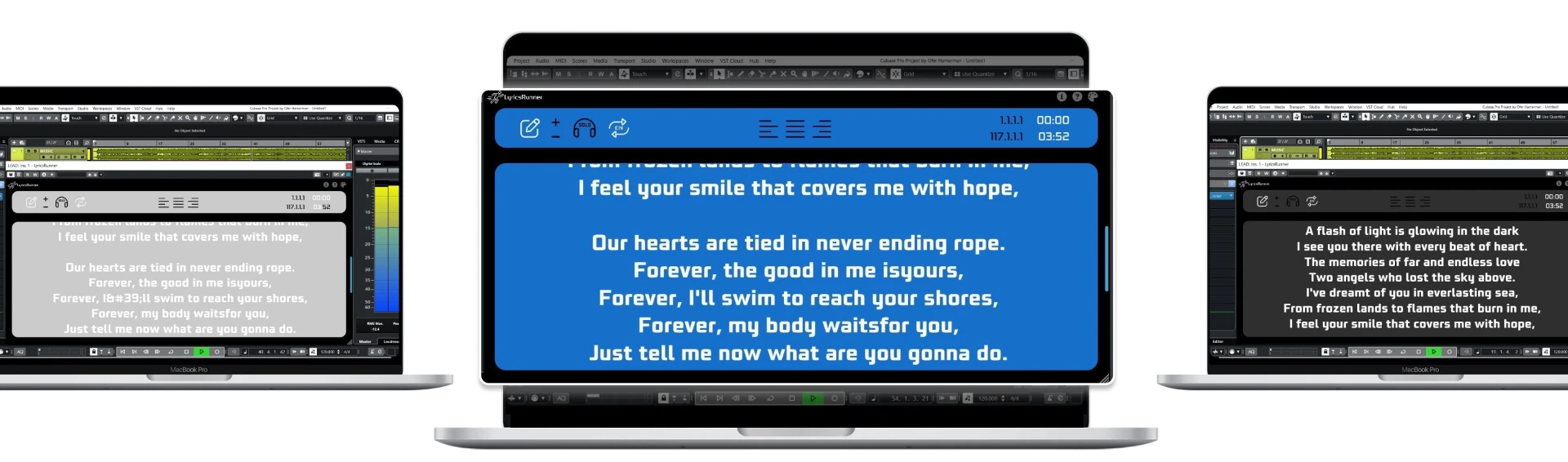
A scrolling lyrics plugin is most useful during punch-ins when the singer can see the upcoming phrase before recording begins. Test the prompt at the DAW's pre-roll position, not only from the start of the song. LyricsRunnerVST follows the playhead, but the lyric layout and timing still need checking against the current arrangement.
Separate the lyric cue from the recording boundary
The moment recording starts is not always the moment the singer should first see the words. A performer may need the preceding phrase, breath or beat to prepare a confident entrance. Locate to a suitable point before the punch-in and play through it without recording. Ask the singer whether the display gives enough context to enter naturally.
Avoid starting the prompt at a single isolated line if it removes useful preparation. Keep a short amount of preceding lyric context and clearly label the section. The goal is to support an accurate entry, not fill the window with the entire song. If the phrase is repeated later, make sure the performer can distinguish this occurrence from the earlier one.
Verify locate and rewind behavior before looping
Run three positions: the initial verse, the middle chorus and the phrase you want to repair. At each point, stop, move the playhead and press play again. Check the lyric display independently from audio playback. If the wrong phrase appears, compare the text order and current arrangement before changing display speed at random.
LyricsRunnerVST uses the DAW timeline as its reference; it does not identify sung words from a microphone. A relocated verse or added introduction can therefore require adjustments to the lyric setup. When testing, use the same backing-track version the singer will record against. A prompt prepared for a previous mix may not match today's session even when the song title is unchanged.
Keep loop practice understandable to the singer
Choose a loop that includes the preparation needed for the entry, not only the exact syllables being replaced. Let the singer rehearse the transition once before recording multiple passes. Confirm what happens to the visible text when the loop returns to its beginning. The screen should not leave the performer searching through a later verse at the restart.
A denser loop is not necessarily a more efficient one. If a fast passage feels rushed, add context and revise line breaks before collecting more takes. Keep ad-lib instructions outside the main lyric flow unless they are genuine performance cues. Agree whether the wording is fixed or open to interpretation so the singer is not trying to follow an obsolete line.
Update changed lyrics before the next pass
A punch-in is often where a writer changes a phrase. Stop long enough to update both the source lyric sheet and the display. Do not leave the singer looking at an older draft while the producer requests new words. Label revisions clearly and preserve the approved text outside the plugin as a backup.
After moving or replacing sections in the DAW, check the affected phrase and the next transition. Audio editing and lyric editing are separate actions; correcting one does not prove the other is still aligned. Save the project after the check and reopen it before the next session. This makes repeatability a visible test rather than an assumption.
Keep troubleshooting focused on the actual problem
If the text is unreadable, improve screen position, contrast and line length. If the phrase appears at the wrong time, inspect the arrangement and timing reference. If the plugin is missing, use your host's scanning instructions and confirm the supported format. These are different problems, and trying every setting at once makes diagnosis harder.
Use the compatibility page before installation and the help library for setup guidance. LyricsRunnerVST offers a 14-day trial without a credit card; the lifetime license is $49, one payment. For sessions where the arrangement changes frequently, continue with the arrangement-change lyric checklist before the next recording day.
Try it yourself
Ready to transform your sessions?
Drop your email — we'll send the 14-day trial download link to your inbox. No credit card.
- 30-day money-back guarantee
- Instant download
- VST3 / AU / CLAP on Mac & Windows