Lyrics Plugin Ableton Workflow: Arrangement and Session Restarts
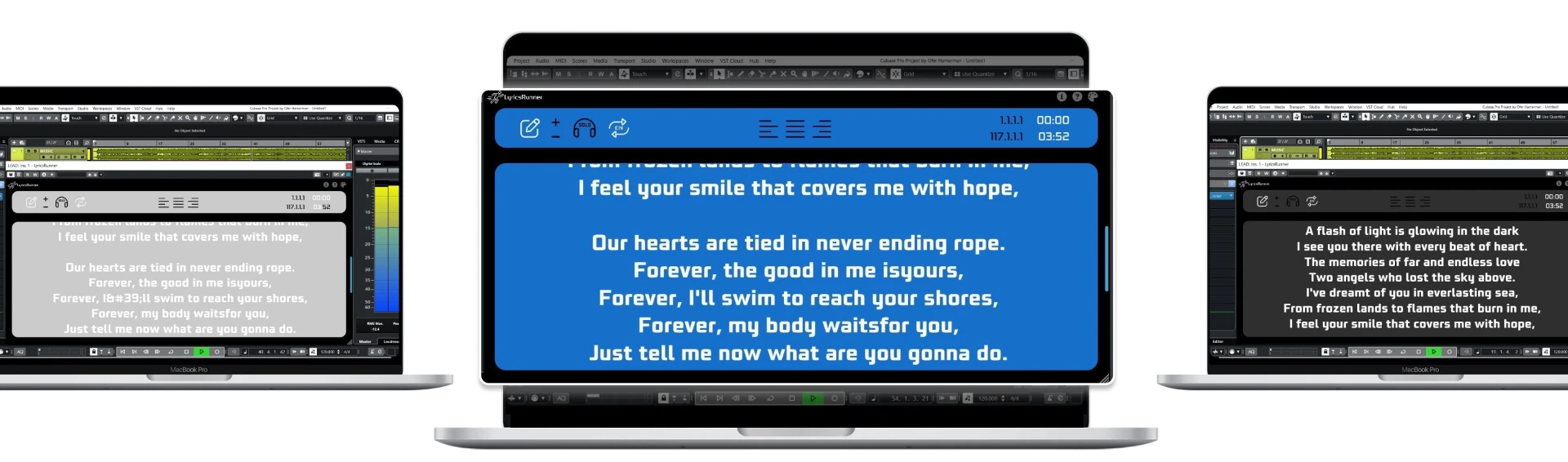
When evaluating a lyrics plugin in Ableton Live, distinguish Arrangement playback from a Session View performance that changes freely. LyricsRunnerVST follows the DAW transport reference; the published compatibility notes describe Arrangement timeline following and Session View following the global transport. Test the exact playback operations you use rather than assuming a launched clip defines a new lyric timeline.
Use a fixed Arrangement as the first test
Choose a rehearsal copy of one song in Arrangement View. Prepare the lyric text in the same running order as the backing track, including the introduction, instrumental breaks and repeated choruses. Load the plugin using the supported package for your system and check that its window appears. Use Ableton's documented plugin setup if scanning or installation is unclear.
Begin with an ordinary verse and chorus before adding performance complexity. Set the display so the opening words are available before the first entrance and ask the singer to read from the intended screen position. A clear, fixed Arrangement provides a useful baseline. If that baseline is not comfortable, introducing live clip changes will not make the timing problem easier to understand.
Test the operations used during a vocal session
Stop in the verse, locate to the chorus and start again. Rewind to the count-in and confirm the first phrase. Then rehearse a short repeated section using the loop positions you actually use for recording. Watch the display at the restart and ask whether the singer has enough context to enter without searching for the line.
LyricsRunnerVST is not transcribing the singer or following their voice. The transport position is the reference, so the lyric setup should be prepared and checked against the session. If an added bar or rearranged bridge changes the song, review the affected lyrics before another take. A prompt tested against last week's Arrangement is not automatically validated for today's edit.
Be explicit about Session View expectations
In Session View, launching a different clip does not by itself establish that the lyric plugin has detected a new verse or song. The current compatibility notes say the scroll follows the global transport position. If your performance uses flexible scenes, restarts or unexpected section lengths, test those actions individually and decide how the lyrics will remain understandable.
Use a written rehearsal sequence for the test. Launch the intro, move to the verse, repeat the chorus and stop. At each transition, compare what the performer sees with what the band is playing. If the workflow cannot provide predictable words after those changes, use a fixed Arrangement for that material or investigate a prompting system designed around your particular performance controls.
Separate readable text from synchronized playback
Even correct transport behavior cannot fix a crowded lyric sheet. Split the fastest verse into short phrases and show repeated choruses in full. Choose contrast and font size from the singer's position, not only from the laptop desk. A connected second display may help, but the software does not include a tablet app or wireless screen connection.
Ask the performer to sing the opening and the most difficult passage without touching the screen. If they need to lean toward the monitor, solve layout or placement first. If the wrong section appears, investigate the timeline and text order. These two symptoms need different changes; adjusting every control at once makes the test less informative.
Save the setup and retest the real project
Save, close and reopen the project, then verify the text and intended display location. Repeat a locate and restart operation with the same computer and audio configuration you use for recording. Check current compatibility details instead of relying on a generic promise about every DAW.
LyricsRunnerVST offers a 14-day trial without a credit card; its lifetime license is $49 with one payment. Start with the exact workflow you need to improve. For more detailed lyric maintenance after edits, read the arrangement-change checklist; for recording short phrases, use the vocal punch-in guide.
Try it yourself
Ready to transform your sessions?
Drop your email — we'll send the 14-day trial download link to your inbox. No credit card.
- 30-day money-back guarantee
- Instant download
- VST3 / AU / CLAP on Mac & Windows