Lyrics Plugin for a DAW: What to Recheck After Arrangement Changes
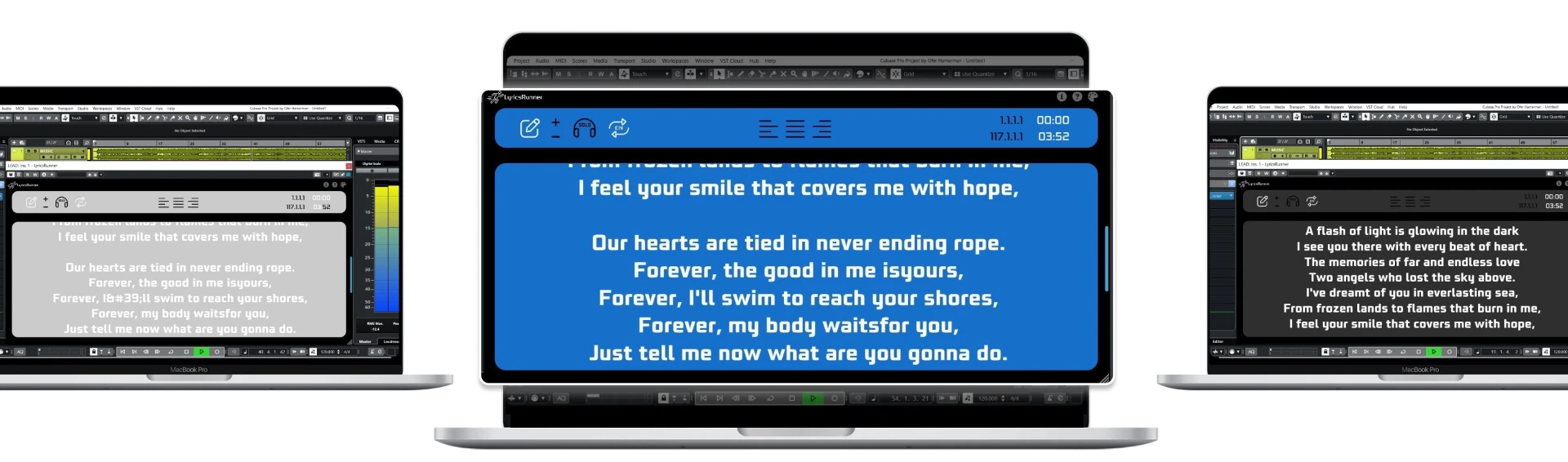
A lyrics plugin for a DAW needs another check whenever the song structure changes. Timeline-linked scrolling does not mean the software understands that you moved a verse or rewrote a chorus. Review the edited section, the next transition and the first entrance before recording again. Keep the lyric source and DAW project on the same approved arrangement version.
List structural changes before adjusting the display
Start by identifying what changed: an added introduction, a removed bridge, an extended instrumental break or a second final chorus. These edits can move the expected words even if the backing track still sounds familiar. Write a short change list so you can check the affected positions deliberately instead of replaying the whole song and hoping to notice a mismatch.
Update the lyric text to match the new running order. Include repeated sections in full and remove verses that no longer belong. Keep section labels meaningful to both singer and engineer. A producer's edit note may be helpful in the project, but it should not look like a sung line on the performer's screen.
Check the first entry after a new introduction
A longer introduction shifts the singer's entrance, but the prompt must also provide preparation time. Start from the new count-in and confirm that the opening words appear before the first syllable. Do not judge alignment only at the instant singing begins. The singer may need to see the previous cue or next phrase to prepare a breath and entry.
Then locate directly to the first verse and repeat the test. A setup that works after a full introduction may still need checking when the engineer starts later. LyricsRunnerVST follows the DAW playhead, so transport position is your reference. It is not listening to a guide vocal to infer where the lyrics should begin.
Repeated sections deserve separate checks
Play each chorus at its new position, including any altered outro. A repeated musical section may contain a lyric variation or ad-lib that the earlier chorus does not. Make those differences explicit in the text. If the final chorus repeats three times instead of twice, show the correct sequence rather than relying on the singer to count repetitions from a short note.
Test the transition into and out of every changed break. Blank space or a clear instrumental cue can reassure a singer that the display has not stalled. Do not assume that a good opening verse proves the rest of the prompt is ready. The change list should determine which positions you check after each revision.
Treat tempo edits as a new rehearsal condition
A tempo change can affect how comfortably a performer reads, even when the DAW remains the reference. Test the edited passage and adjust the display only after listening to the new arrangement. If you slow a difficult verse for practice, check the prompt during that practice run and again when returning to the recording tempo.
Avoid assuming that text lines have automatically become beat-by-beat markers after a tempo-map edit. The usable behavior depends on your actual plugin setup and session. A short rehearsal test is safer than extrapolating from a feature description. When the result is unclear, isolate one passage and verify it before making broad changes to every section.
Save an arrangement version the team can identify
Give the project and source lyrics a matching revision label. Preserve the last approved copy before a major edit, and agree who is responsible for updating the prompt. A singer reading version three while the engineer records version four is a workflow problem, not a display-speed problem. Keep one authoritative lyric copy for the session.
Save and reopen the edited project, then check the changed positions again. For installation questions, consult compatibility and the help library. LyricsRunnerVST has a 14-day trial without a credit card and a $49 lifetime license with one payment. If the next task is repairing individual takes, use the punch-in checklist to test the performer-facing workflow.
Try it yourself
Ready to transform your sessions?
Drop your email — we'll send the 14-day trial download link to your inbox. No credit card.
- 30-day money-back guarantee
- Instant download
- VST3 / AU / CLAP on Mac & Windows