Efficient Vocal Prompter Plugin for Smooth Recording
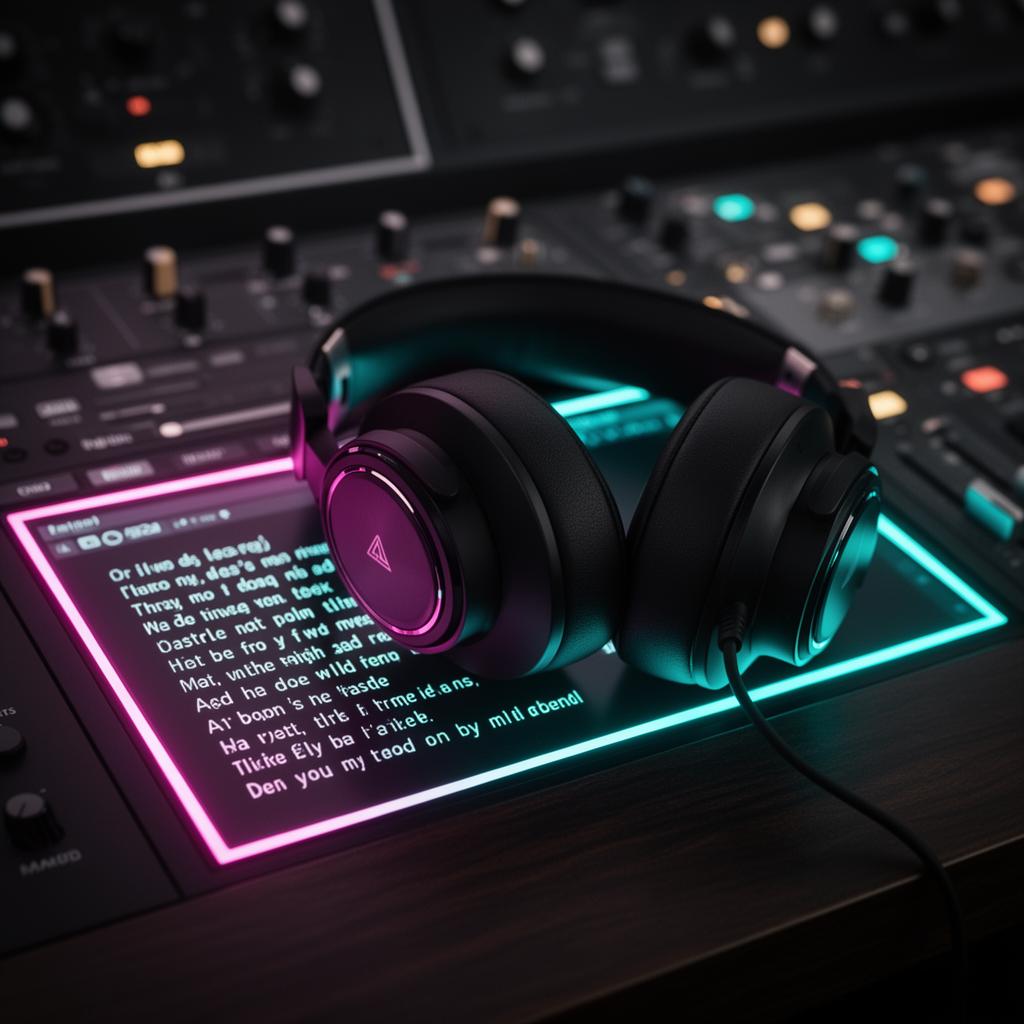
Using a Vocal Prompter Plugin can cut down your time by up to 15 minutes for each recording. This tool lets you speak naturally without the need to constantly read a written script. As a result, your recording work gets a lot faster and easier.
Imagine you’re in music, acting, hosting a podcast, or making online content. The Vocal Prompter Plugin changes the game for you. It has special tools like a scrolling text feature and an audio guide. These make your recording job flow better so you can focus on giving your best performance.
Key Takeaways:
- The Vocal Prompter Plugin saves an average of 15 minutes per recording session.
- It enhances efficiency by utilizing voice control software and speech recognition technology.
- The plugin provides an interactive text scrolling feature for a natural and engaging performance.
- With an audio prompt system , the plugin eliminates the need to memorize scripts.
- Using a Vocal Prompter Plugin can lead to greater confidence and better delivery.
Why Use a Vocal Prompter Plugin?
A Vocal Prompter Plugin is great for recording. It uses voice control and speech tech. So, you don't have to read from a script by hand. This makes your performance more natural and interesting. It's like having a prompter that talks back, helping you record better.
With this plugin, controlling recordings is easy. You can start, pause, or stop recordings just by talking. The text also moves with you, always in sync. This means no more manual scrolling or pauses.
“Using a Vocal Prompter Plugin revolutionized my recording sessions. The voice control feature allows me to focus on my performance, while the interactive text scrolling ensures that I never miss a beat. It's like having a personal assistant in the studio!" - Jane Thompson, Professional Voice Actor”
"Using a Vocal Prompter Plugin revolutionized my recording sessions. The voice control feature allows me to focus on my performance, while the interactive text scrolling ensures that I never miss a beat. It's like having a personal assistant in the studio!"
- Jane Thompson, Professional Voice Actor
This tool doesn't just make things easier; it also boosts performance quality. Performers don't need to just memorize or constantly check scripts. They can look at their audience or camera more. This improves how well they connect and speak to their audience. Plus, the plugin keeps the wording right, making performances sound professional.
Benefits of a Vocal Prompter Plugin
A Vocal Prompter Plugin makes recordings better in many ways. It uses voice software to help with lines and understand what you say. This is great for anyone who needs to perform scripts well. Here are the key points of why it's so useful:
Promotes Confidence and Engagement
Using a Vocal Prompter Plugin means you don't have to memorize all your lines. The software tells you what to say. This lets performers look at their audience more, making them feel confident and connected. It's a big help for getting everyone involved in the story!
Ensures Precise Delivery
Performing with a Vocal Prompter Plugin means you'll nail your script down perfectly. The software makes sure you say every word just right. You can put all your focus on sounding and looking your best, leaving worries about forgetting lines behind.
This kind of help is great because it makes the whole recording process smoother. You won't have to keep stopping to check your script. Instead, you can concentrate on doing your best in every scene.
Affordable Solution for Studios and Individuals
Many people can afford a Vocal Prompter Plugin. It's not just for big studios. Even if you're just starting out, it helps you sound professional. This plugin isn't super expensive but offers a lot of advanced features.
It's a great choice for performers and content creators who want to improve their recordings without spending a lot. Plus, it takes the stress out of remembering lines, making the whole process of recording more enjoyable.
A Vocal Prompter Plugin is like a personal assistant for your script. It makes recording easier and more fun. By using its features, even new performers can sound great. Best of all, it doesn't cost a fortune, so it's perfect for anyone who wants to take their work more seriously.
How to Use a Vocal Prompter Plugin
Using a Vocal Prompter Plugin is easy. Here's how you can make the most of it:
- Install the Plugin: First, get the Vocal Prompter Plugin on your device. Check that it works with your system.
- Select the Settings: Next, open the plugin and find the settings page. You can change things like text size and color here.
- Input the Script: Now, add your script to the plugin. You can type it in or upload a file. Make sure the script is easy to read.
- Start the Recording Session: Ready to record? The plugin will show your script clearly. No need to move the text yourself.
- Enjoy Interactive Text Scrolling: The scroll speed matches your speaking pace. This keeps your voice and the text in sync.
Follow these steps for a smooth recording experience. The Vocal Prompter Plugin makes recording easier without the need for manual prompts.
Top Vocal Prompter Plugins for 2024
In 2024, there are many great Vocal Prompter Plugins. They make recording easier and fun. These tools use advanced tech and are easy to use. They help you record smoothly and quickly. Here are some top picks for 2024:
Vocal Prompter Viewer
The Vocal Prompter Viewer is a game-changer for recording. It listens to your voice and moves the lyrics for you. No need to touch the screen while singing. This way, you can focus on singing your best without any distractions.
Live Lyrics Visualization Tool
The Live Lyrics Visualization Tool makes your lyrics stand out on the screen. Your words match the music perfectly. It also lets you choose how your lyrics look. This makes your performance more captivating and unique.
Song Prompter Display
The Song Prompter Display is perfect for musicians and live shows. It shows your lyrics and chords as you play. It's very easy to use and helps you perform without any mistakes.
These 2024 plugins have many cool features for singers, actors, and YouTubers. They use voice control, have settings you can change, and work really well. These tools will make your recording time better. They help everyone who needs to remember words or lines quickly.
Using Your Computer as a Teleprompter
Users can turn their computers into teleprompters with special software. This is easy and doesn't cost much. It can make their recording sessions sound more natural. Just a few steps and you're good to go.
Microsoft PowerPoint is a great choice. It's easy to use and lets your script roll like a teleprompter as you record. You can look at your audience and still read your lines easily.
To use PowerPoint for this, follow these steps:
- Open PowerPoint on your computer.
- Make a new slide or use an old one.
- Add a text box for your script.
- Put your script in the text box. You can customize the font and look.
- Go to the Slide Show tab at the top.
- Click From Beginning to start.
As the show starts, your text will scroll. You can set the speed so it flows comfortably with your speaking. This helps you keep in touch with your viewers during calls or presentations.
Using your computer as a teleprompter is great for online talks. It lets you talk smoothly while keeping eye contact. Your performance will improve, making you more effective.
Software such as Microsoft PowerPoint turns your screen into a powerful teleprompter. It helps with online videos and live talks. Your content will be more engaging and you'll speak confidently.
Features to Consider when Choosing a Vocal Prompter Plugin
When you pick a Vocal Prompter Plugin, think about key features. These features make using the plugin better for recording.
Voice Control Software and Speech Recognition Tool
Look for voice control and speech recognition in a good Vocal Prompter Plugin. These let you control the prompter with your voice. This means you can focus on your performance and avoid having to adjust things manually. The text scrolls accurately with your voice, making the recording better.
Interactive Text Scrolling Plugin
It's important to have an Interactive Text Scrolling Plugin . This lets you set the speed and look of the text how you like. You can make the text move at the right pace as you perform, improving your experience.
Compatibility with Different Recording Devices and Operating Systems
Check if the Plugin works with different devices and systems. It should work well with laptops, desktops, or smartphones. This way, you can use your preferred tool no matter where you are.
Review these features to find a Plugin that's right for you. It doesn't matter if you're a musician, podcaster, or voiceover artist. The best Vocal Prompter Plugin will make your work better and more efficient.
Top Vocal Prompter Plugins for Windows and Mac PCs in 2024
In 2024, several top-rated Vocal Prompter Plugins are ready for use on Windows and Mac PCs. These tools come with many features to make your recording projects better. They are great for making sure your performances sound professional. Here are some of the best plugins this year.
Riverside
Riverside lets you control the speed of how lyrics or scripts appear on screen. You can pick your own fonts and styles. It makes recording easier for everyone. Beginners and pros can both benefit from using Riverside for better vocal recordings.
Virtual Teleprompter
Virtual Teleprompter turns your computer into a handy prompter. It lets you make the text look the way you want. This tool is perfect for videos, speeches, or any time you need to look at the camera.
Teleprompter Mirror
Teleprompter Mirror is made just for Macs and is very easy to use. It has a clean interface for showing your scripts clearly. You can set the speed and style of the text to read comfortably.
The best Vocal Prompter Plugins in 2024 add a lot of value to Windows and Mac computers. They're good for anyone who wants to improve their recordings. If you're a performer, content creator, or speaker, one of these plugins may be just what you need. It's time to upgrade your recording game with the right Vocal Prompter Plugin.
Using Teleprompter Software for Video Recording
Teleprompter software is great for video recording and making content. It helps content creators speak clearly, keep eye contact, and seem more relaxed in videos.
It's a big help for YouTubers and online influencers wanting to boost their video quality. This software makes recording easier and boosts confidence in their message.
Are you creating a tutorial, interview, or any scripted video? Teleprompter software will make your work simpler. It shows your script on your screen, making it easy to read your lines smoothly.
This software reduces mistakes and cuts down on editing work. It also keeps you from talking too much or straying from your points, making your videos more focused and clear.
It works really well for long or complicated videos. It keeps you focused and helps viewers stay interested in what you're saying.
Additionally, this software lets you look straight at the camera while you speak. That helps you connect better with your audience and seem more trustworthy. This is key to strong performance on camera.
Using teleprompter software will make your videos look more professional, whether you're new or experienced. It boosts your confidence and improves how your audience enjoys your content.
If you want to up your video game, try using teleprompter software. It's easy to use, can be personalized, and works smoothly with your filming devices. It's a must-have for anyone wanting to make top-notch videos.
Now, let's check out some top teleprompter software choices:
There are plenty of teleprompter options with various features and prices. For both new and seasoned creators, using teleprompter software can enhance how you make videos.
Being prepared and confident while delivering your content are crucial. Teleprompter software is a powerful tool that helps you make videos that truly engage your audience.
The Trend of Video Teleprompters
Video teleprompters are gaining popularity. They help content creators and professionals speak naturally while keeping eye contact. This is key for engaging with viewers or the camera.
In social media and microblogging, short and powerful videos stand out. Many creators use teleprompters to sound more polished, make smooth transitions, and hold the audience's attention.
The software for video teleprompters is also evolving fast. It now offers adjustable scrolling speeds and advanced editing. These features help video makers share their stories confidently and with a professional touch.
The Benefits of Video Teleprompters
Video teleprompters have several advantages for making videos better and more effective:
- Improved Script Delivery: They let creators read scripts easily while looking at the camera. This makes the delivery natural and engaging.
- Enhanced Audience Engagement: Looking into the camera helps creators build a connection with their viewers. It makes the video feel more real and engaging.
- Time Efficiency: These tools cut down on retakes and memorizing lines, making video-making faster. Creators can make more content in less time.
- Professional-Quality Results: Using a teleprompter ensures videos have a steady pace and delivery. This improves the quality of the final video.
Choosing the Right Video Teleprompter Software
Picking the best video teleprompter software means looking at these features:
- Compatibility: Ensure the software works with your camera and computer.
- Features: Find tools like adjustable speed, text style options, and the ability to use different script formats.
- User-Friendly Interface: Choose software that's easy to use, with straightforward controls.
- Reliability: Pick a program that works well for others, with solid reviews.
Choosing the right teleprompter software can make a big difference in the quality of your videos. It will help you create professional content more easily.
Lorem ipsum dolor sit amet, consectetur adipiscing elit. Suspendisse pharetra sem ligula, et porttitor eros porttitor eu. Ut sit amet volutpat nibh, non faucibus ante. Morbi purus massa, tincidunt eu neque id, vehicula tempus purus. Curabitur imperdiet arcu a magna tristique, vel maximus nisl consequat. Maecenas sed nisl non ligula tristique lacinia vitae ut elit. Nunc sollicitudin non justo non feugiat. In tristique risus id suscipit consequat. Donec nec sem a purus faucibus elementum in non arcu. Mauris auctor viverra mauris.
Conclusion
The Vocal Prompter Plugin is key for better vocal recordings. It makes it easy to control your voice and follow text. This is great for anyone making content or in the voice recording business.
It helps podcasters, voice actors, and musicians. You don't have to memorize scripts. This lets you focus on your performance and reach your audience better. The plugin makes your delivery sound natural with its features.
Say goodbye to the old way of memorizing and manual scrolling. Get a Vocal Prompter Plugin to boost your vocal work. It's simple to use and can be set up just the way you like. Enjoy a professional touch in your recordings.
FAQ
What is a Vocal Prompter Plugin?
A Vocal Prompter Plugin uses voice control and speech recognition tech. It helps control recording with easy text scrolling.
Why should I use a Vocal Prompter Plugin?
It makes recording feel more natural and improves confidence. Plus, it keeps the audience more engaged.
What are the benefits of using a Vocal Prompter Plugin?
It leads to a better performance and boosts confidence. It also engages the audience more. And it saves time during recordings.
How do I use a Vocal Prompter Plugin?
First, add the Plugin to your recording device. Open it and set the perfect settings. Upload your script, then start recording.
The text will appear for you to read clearly and scroll as you speak.
What are some top Vocal Prompter Plugins for 2024?
2024's best include Vocal Prompter Viewer and Song Prompter Display . They offer great solutions for your needs.
Can I use my computer as a teleprompter?
Yes, your computer can work as a teleprompter using software like Microsoft PowerPoint. This makes your delivery smooth, great for remote calls and presentations.
What features should I consider when choosing a Vocal Prompter Plugin?
Look for voice and speech tech, a good scrolling Plugin, and customization. Make sure it works with your devices and lets you set it just right.
What are some top Vocal Prompter Plugins for Windows and Mac PCs in 2024?
Riverside, Virtual Teleprompter, and Teleprompter Mirror are top choices for 2024. They have great features for better recordings.
How can teleprompter software enhance video recording?
It makes your delivery better and more confident. You'll keep eye contact with the camera and sound natural. This is perfect for YouTubers and social media.
What is the trend of video teleprompters?
More people are using video teleprompters as they see the advantages. They make your delivery natural and keep you looking at viewers or the camera, which is key for social media.
Try it yourself
Ready to transform your sessions?
Drop your email — we'll send the 14-day trial download link to your inbox. No credit card.
- 30-day money-back guarantee
- Instant download
- Works in every major DAW