by SPS STUDIOS
StemRevive
AvailableStem restoration for Suno-separated audio
StemRevive is an available audio restoration plugin by SPS Studios focused on improving stems from Suno songs after stem separation. The goal is to make those separated tracks more usable in a mix—not to extract the stems in the first place. USD 79 is a one-time payment valid for one year, or USD 229 is lifetime, with a license key for up to 3 computers.
USD 79 / yearUSD 229 lifetime
From a Suno song to your mix
- Separate your Suno song into stems using your chosen stem-separation tool.
- Listen to each track on its own and in the mix. Identify audible artifacts, unclear textures or unwanted sound from other instruments.
- StemRevive is being developed for the restoration stage after separation. Its processing results and final workflow will be shared when ready.
Suno stem cleanup: common questions
How can I make Suno stems sound better after separation?
Start by comparing each separated track with the original song and checking it in the mix. Listen for artifacts, metallic textures, loss of clarity and bleed between instruments. StemRevive is being developed specifically around improving these post-separation stems; confirmed results are not available yet.
What should I check when cleaning up a Suno vocal stem?
For Suno vocal stem cleanup, listen for metallic-sounding vocals, unclear words and unwanted instrumental sound. Compare the isolated vocal with the original mix before deciding what needs attention. These are listening checks, not a claim that StemRevive can remove every problem.
Is Suno stem cleanup the same as mixing Suno stems?
They are different stages. Post-separation cleanup focuses on the quality of an individual track; mixing Suno stems involves balancing those tracks together. StemRevive's development focus is stem restoration, not a complete mixing or mastering service.
Does StemRevive separate a Suno song into stems?
No stem-extraction feature is being announced here. StemRevive's focus is restoration after you have already separated the song. It is not presented as an official Suno integration.
Will StemRevive remove every artifact or recover the original recording?
No guaranteed restoration is being claimed. Separated stems can contain missing detail and unwanted sound, and results depend on the source material. The goal is a meaningful improvement in usability—not perfect reconstruction or a promise to remove all bleed.
Can I try StemRevive on my Suno stems now?
Yes. StemRevive is available. USD 79 is a one-time payment valid for one year, or USD 229 is lifetime. The license key works on up to 3 computers.
What it fixes
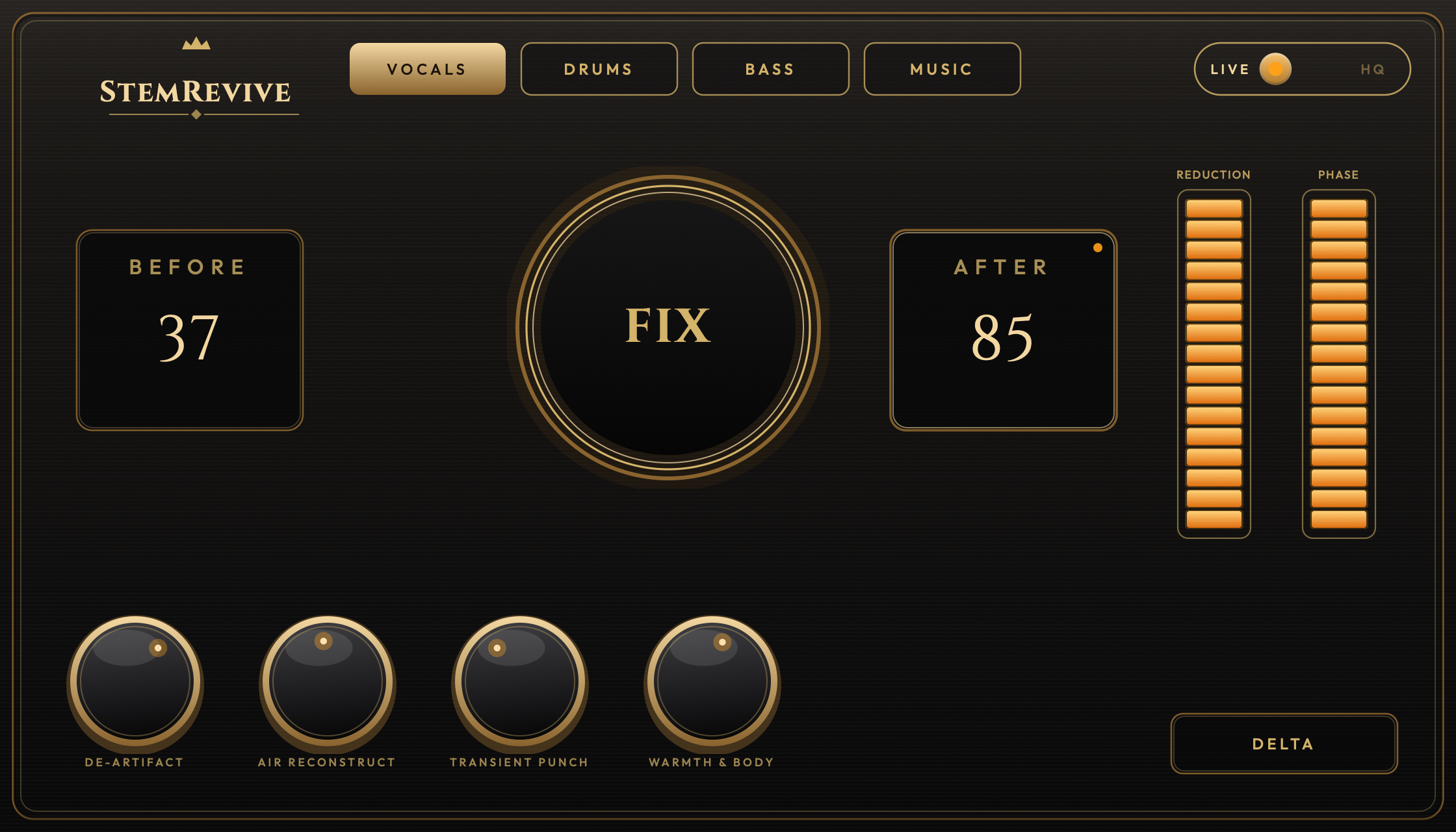
- Removes metallic and watery artifacts
- Restores air and highs
- Brings back drum punch
- Warms plastic-sounding mids
Features
- One-click FIX with a before/after score
- LIVE zero-latency mode for live shows
- Batch export of many stems in the standalone app
Who it's for
- Suno creators
- Producers
- Live performers
Compatibility
- macOS (Universal: Intel + Apple Silicon)
VST3 · AU · Standalone - Windows
VST3 · Standalone
Pro Tools: no AAX version. It may be possible to load it in Pro Tools through a free VST host plugin such as Plugin Buddy or Waves StudioRack, but this has not been tested.